In order to import settings templates for strategies, you need to put them directly into the document’s folder of NinjaTrader 8. The strategy templates should be placed in a folder that has the name of the strategy you are using. For example, the folder with the strategy templates “Reversal” will be named “Reversal”. If you don’t see the folder, then NinjaTrader hasn’t created it yet. You can do it instead, as shown below. To do this, go to:
PC —> Documents —> NinjaTrader 8 —> Templates —> Strategy
Below is an example of how to import settings templates into the “Reversal” strategy from mascapital.uk:
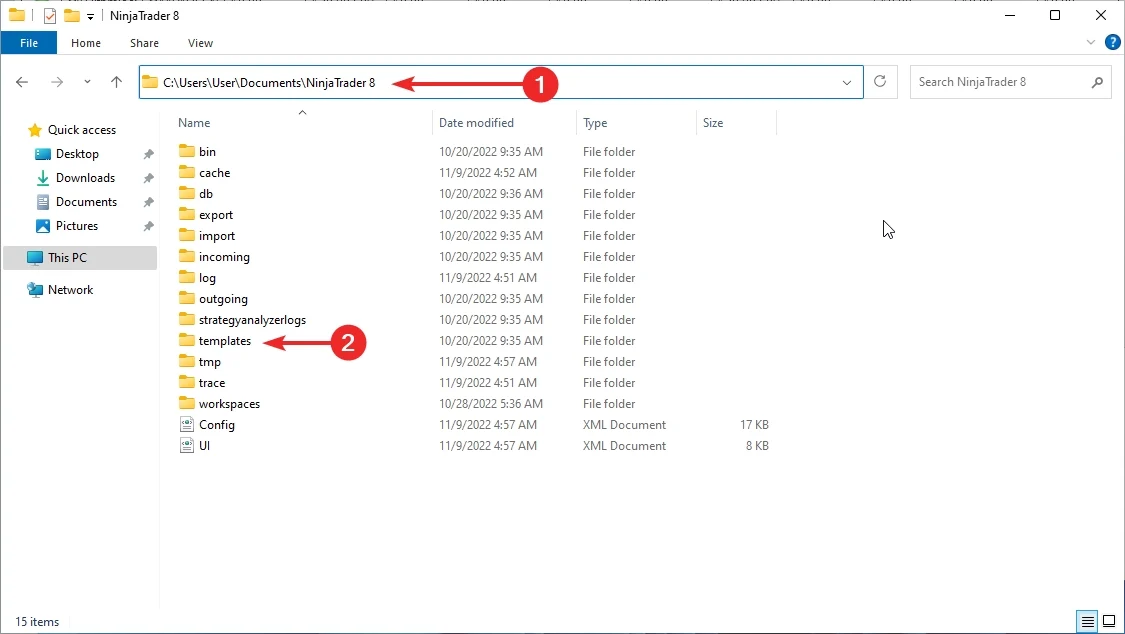
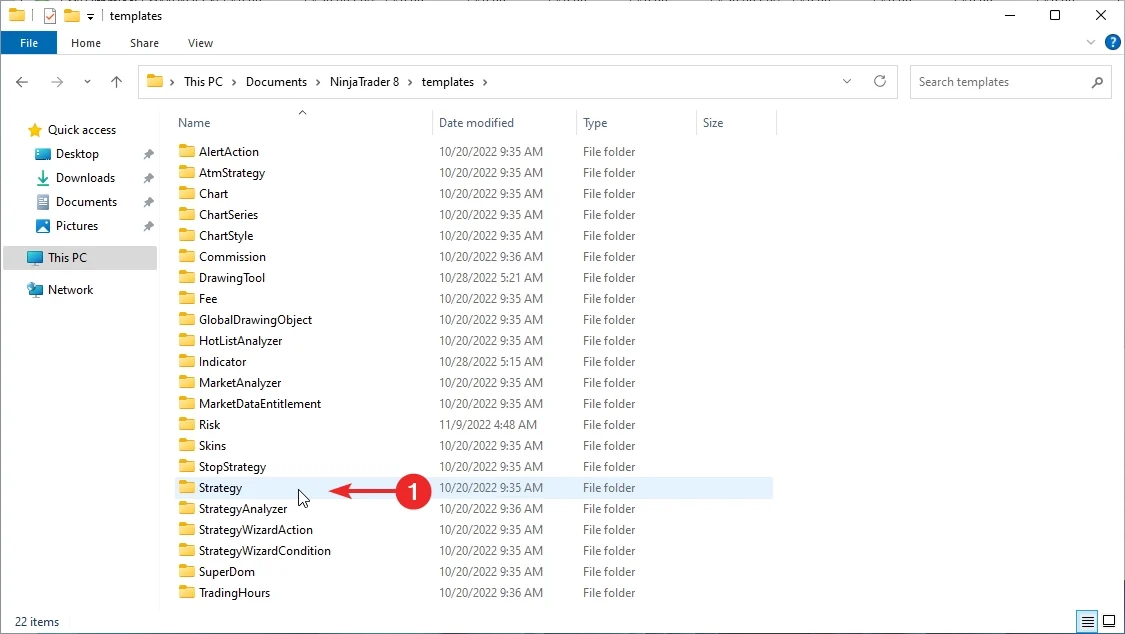
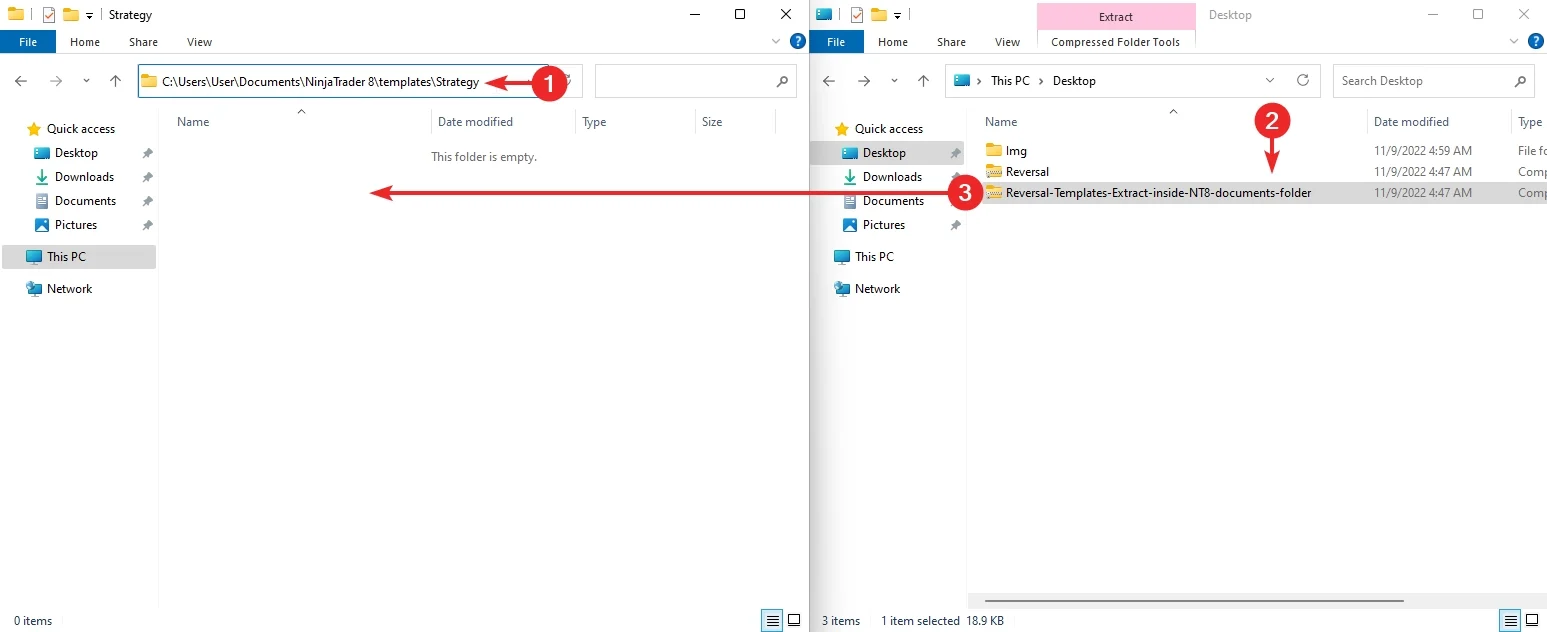
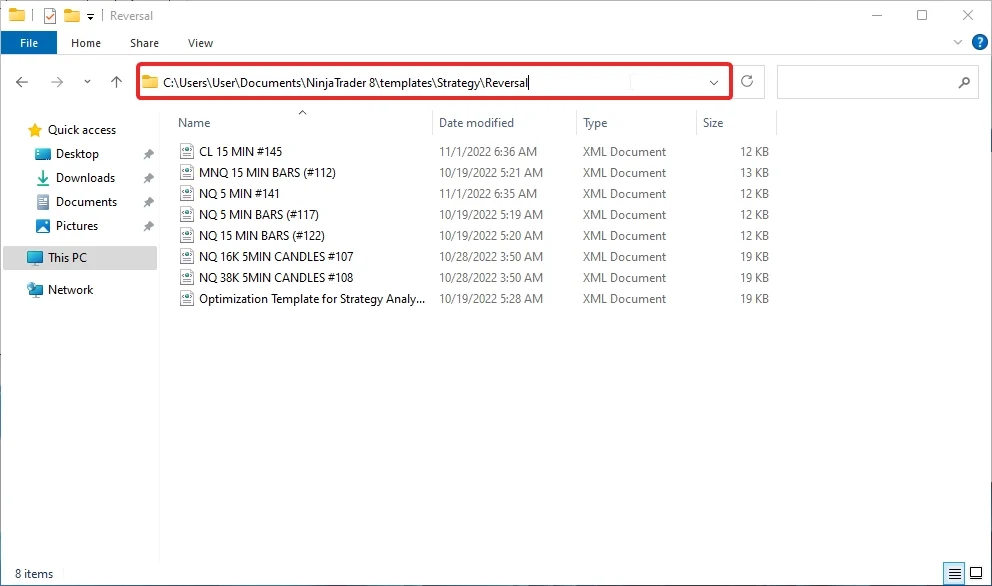
NinjaTrader 8 automated strategy templates import showcase:
Extract downloaded templates from our website inside NinjaTrader 8 strategy templates documents folder:

Reversal auto-trader templates import:
You can save/load added templates directly from the automated strategy setup window, as shown here:
