Utilizing the strategy has been a game-changer for me over the past few months. strategy, grounded in price action, sets apart from delayed indicators, leading to outstanding results. The inclusion of customizable templates has been a boon, allowing me to seamlessly adapt to the ever-changing market. Thank you.

Automate the reversal setup. Keep control of the risk.
Reversal Auto-Trader trades confirmed reversal setups from MAS templates, with the stop, target and session rules already set.
NinjaTrader 8 · Pre-built templates · No trial
Same strategy. Different terms.
- Renews monthly
- Cancel anytime
- Unlimited Machine ID changes
- Support and remote assistance
- Updates
- Renews yearly
- Cancel anytime
- Unlimited Machine ID changes
- Support and remote assistance
- Updates
- One payment
- No renewal
- Unlimited Machine ID changes
- Support and remote assistance
- Updates
- New feature requests
- Renews weekly
- Cancel anytime
- Unlimited Machine ID changes
- Support and remote assistance
- Updates
- Renews quarterly
- Cancel anytime
- Unlimited Machine ID changes
- Support and remote assistance
- Updates
- Renews every six months
- Cancel anytime
- Unlimited Machine ID changes
- Support and remote assistance
- Updates
Prices in USD. No trial. Every plan includes the strategy, pre-made template sets. Just load the template and enable the strategy.
A template, not a hundred settings.
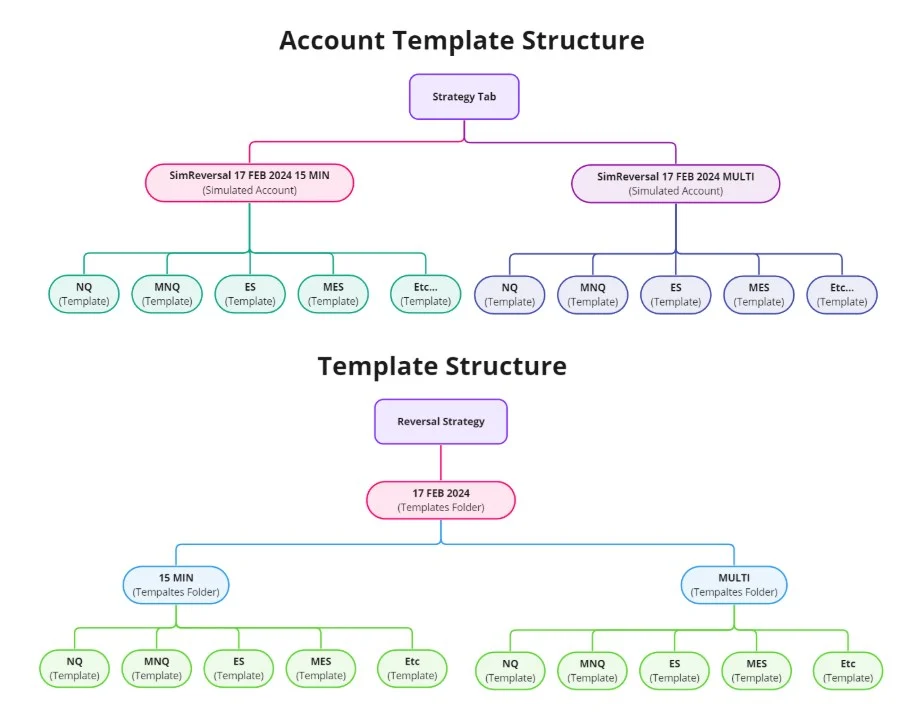
Templates with the settings already set
Entry, stop, target and session rules come pre-defined, so you are not building a strategy from scratch.
Attach it to one account
Choose the account the strategy should trade and enable it there.
Built on reversal setups
Templates trade the confirmed reversal setups the indicator marks.
Review it in the log
Every closed trade is written to a CSV log with net P/L.
Four steps to a running strategy.
Add the strategy
Import it into NinjaTrader 8 and add it to the instrument you trade.
Load a template
Pick the template for the instrument and session you want to trade.
Choose the account
Select the account the strategy is allowed to trade.
Enable it
Turn it on and watch the first session before you scale up.
What the template already sets.
You load it, then adjust only what your instrument needs.
- Entry rule
- Confirmed reversal setup
- Stop
- The other side of the setup.
- Target
- Measured from the setup range.
- Session window
- The hours the template may trade
- Risk caps
- Daily loss and target, if the template sets them
- Trade log
- One CSV line for every closed trade
Template settings are shown in NinjaTrader when you load one.
What traders say after testing.
Product feedback
Reversal Auto-Trader · customer reviews
-
Tony Osborne Verified owner
-
Mr Vernon Verified owner
My experience with the Reversal Auto thus far can be summarized as 'not bad'. While it doesn't fully meet my initial performance expectations, it doesn't fall into the realm of disappointment either. I'm in the process of evaluating its long-term worthiness of investment.
-
Helen T N Verified owner
Promising Strategy, Requires Dedication to Master.
However, the payoff in terms of improved trading performance and accuracy can be well worth the initial learning investment -
Sheetal Pathak Verified owner
Please activate my license! Thank you!
-
Mr D. Millhouse Verified owner
Thank you for the valuable experience of using this strategy for a month. However, due to the lack of documentation, it has become excessively complex to implement. Opting for a managed option would be a more accessible choice for those who prefer not to delve deeply into this auto-trading endeavor.
-
Joanne Verified owner
the strategy does not work as well as the same indicator (reversal indicator) probably because the strategy does not understand the current market situation.
Using the indicator, you can filter out periods when it is better not to trade and skip a trade.
Set it up and test it.
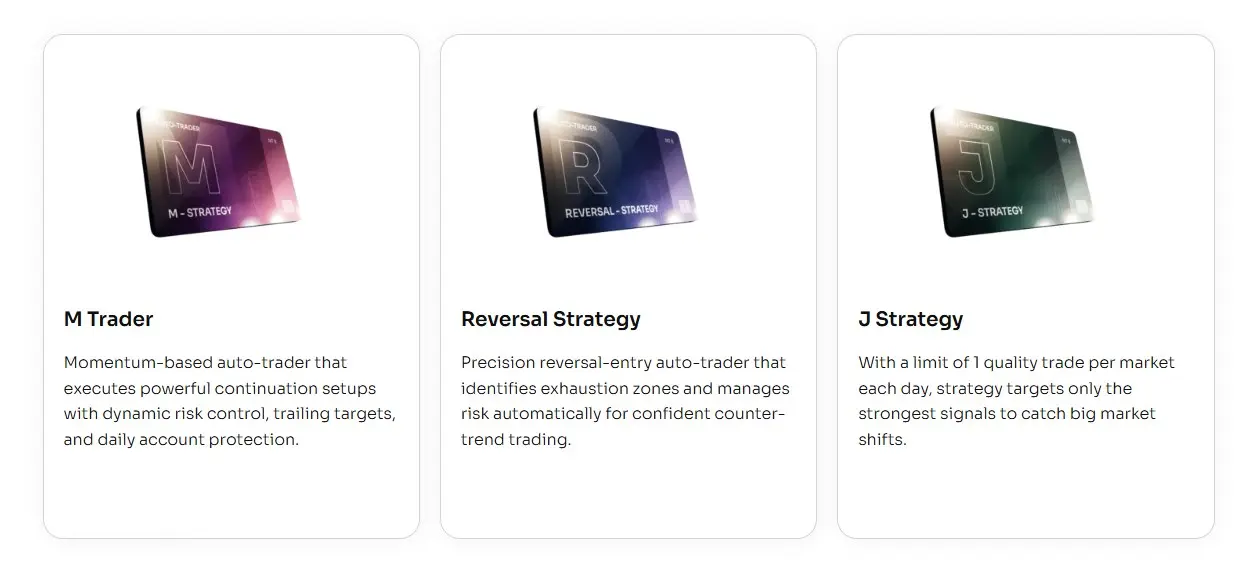
M Trader and Reversal Strategy trade limits update for NinjaTrader 8
M Trader and Reversal Strategy now use trade-count daily limits instead of the older PnL-based system. The update… Read guide
Update: Faster & Safer Auto-Trading in NinjaTrader 8
December 2025 update improves MASCapital auto-traders with faster stop handling, safer order protection, and smarter session-close logic. Read guide
Reversal Strategy for NinjaTrader 8 — Full Setup, Testing & Risk Guide
Step-by-step guide to install, configure, and test the Reversal Strategy in NinjaTrader 8. Includes risk controls, PnL limits,… Read guideNeed a hand with the settings?
Tell us the instrument and session you trade. We will check the template with you.
Before you start it.
How do I start it?
Add the strategy, load a template, choose the account and enable it.
What is in a template?
Pre-defined entry, stop, target and session settings for one way of trading.
Which platform does it run on?
NinjaTrader 8.
Can I change the settings?
Yes. Load a template as the starting point, then adjust what you need.
Does it place trades?
Yes. Once enabled on an account, it sends the entries the template defines.
When does it trade?
During the hours set in the template.
What does it not do?
It does not supply a data feed, a broker account or a profit guarantee.
How do I review it?
The CSV trade log records every closed trade with net P/L.
Can I cancel my subscription?
Yes. Cancel from My Account → Subscriptions. The plan stops renewing.
Can I move the license to another machine?
Yes. License transfers are included.