In my case, the strategy only worked on a standard 2 minute chart. The package of provided presets showed a less profitable curve than my own set of presets. Therefore, I will give it 4 stars. Thank you very much for your regular updates and support!
Automate the reversal setup. Keep control of the risk.
Reversal Auto-Trader trades confirmed reversal setups from MAS templates, with the stop, target and session rules already set.
NinjaTrader 8 · Pre-built templates · No trial
Same strategy. Different terms.
- Renews monthly
- Cancel anytime
- Unlimited Machine ID changes
- Support and remote assistance
- Updates
- Renews yearly
- Cancel anytime
- Unlimited Machine ID changes
- Support and remote assistance
- Updates
- One payment
- No renewal
- Unlimited Machine ID changes
- Support and remote assistance
- Updates
- New feature requests
- Renews weekly
- Cancel anytime
- Unlimited Machine ID changes
- Support and remote assistance
- Updates
- Renews quarterly
- Cancel anytime
- Unlimited Machine ID changes
- Support and remote assistance
- Updates
- Renews every six months
- Cancel anytime
- Unlimited Machine ID changes
- Support and remote assistance
- Updates
Prices in USD. No trial. Every plan includes the strategy, pre-made template sets. Just load the template and enable the strategy.
A template, not a hundred settings.
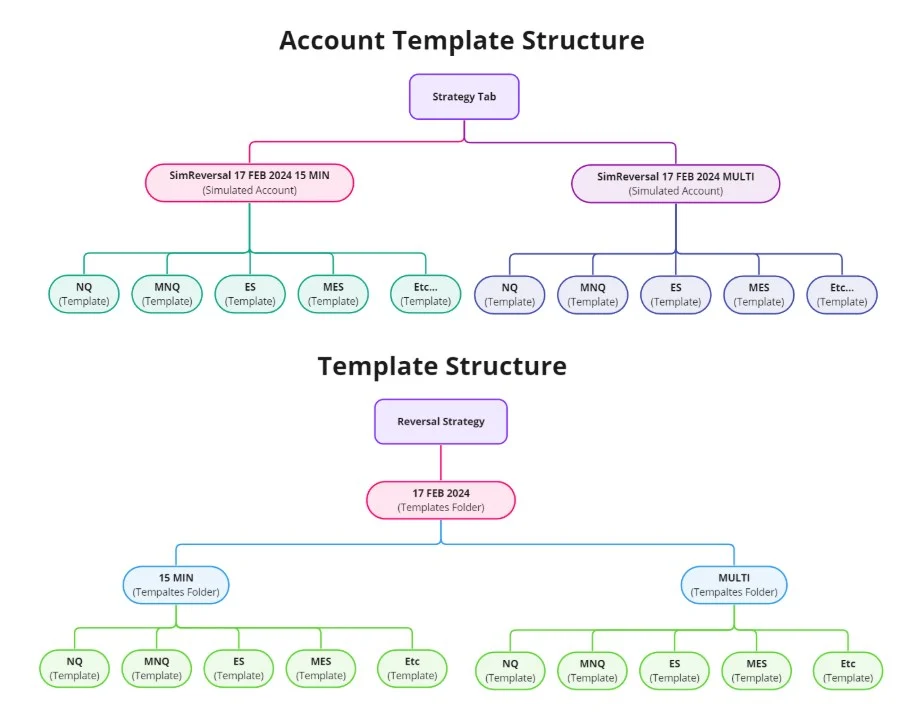
Templates with the settings already set
Entry, stop, target and session rules come pre-defined, so you are not building a strategy from scratch.
Attach it to one account
Choose the account the strategy should trade and enable it there.
Built on reversal setups
Templates trade the confirmed reversal setups the indicator marks.
Review it in the log
Every closed trade is written to a CSV log with net P/L.
Four steps to a running strategy.
Add the strategy
Import it into NinjaTrader 8 and add it to the instrument you trade.
Load a template
Pick the template for the instrument and session you want to trade.
Choose the account
Select the account the strategy is allowed to trade.
Enable it
Turn it on and watch the first session before you scale up.
What the template already sets.
You load it, then adjust only what your instrument needs.
- Entry rule
- Confirmed reversal setup
- Stop
- The other side of the setup.
- Target
- Measured from the setup range.
- Session window
- The hours the template may trade
- Risk caps
- Daily loss and target, if the template sets them
- Trade log
- One CSV line for every closed trade
Template settings are shown in NinjaTrader when you load one.
What traders say after testing.
Product feedback
Reversal Auto-Trader · customer reviews
-
Sharon Forbes Verified owner
-
Jason Parker Verified owner
Reversal strategy rocks, it works on different markets and does what I wanted. And the coolest thing is that the trades and my account are in the green. You know, that’s what matters when you use automated systems
-
Gareth Verified owner
I gotta share my own experience with this reversal strategy, gotta be honest, it was kinda scary at first. Tried a few other automated systems from different providers, but honestly, they didn't really deliver. Even though they were all like, "Yeah, it's all green in history, works like a charm," I had my doubts when testing the reversal strategy. But in the end, it actually did some good for a couple of my Apex accounts. Totally surprised me 'cause I'd been struggling to get 'em qualified for ages, just kept hitting that trail of losses. This strategy flipped the script, so it's not an instant buy for me, but it's lookin' promising. Already got it set up on the PA account and so far, so good. Big thanks for 25% off on a lifetime deal. Got it.

-
Carolyn Verified owner
Quite an interesting approach to using the strategy as it trades on multiple markets simultaneously, which to my surprise turned out to be quite effective. I hadn't seen anything like it before. Also impressed with the service. Thanks to the team for the quick responses and assistance with any questions.
-
Zaviyarsukhera Verified owner
-
K Bennett P&H LTD Verified owner
Thank you, the strategy has completely paid off. I am pleasantly surprised by the results it provides and glad that there are regular updates. Also, I thank the support team for being constantly in touch with me and solving all my problems. I would like to say that the approach to managing the strategy is simply excellent, I have never seen anything like it before. If anyone is interested, this strategy is used on several markets simultaneously, which allows for a bit of risk diversification. Surprisingly, this played a crucial role in my decision-making. Thank you.
Set it up and test it.
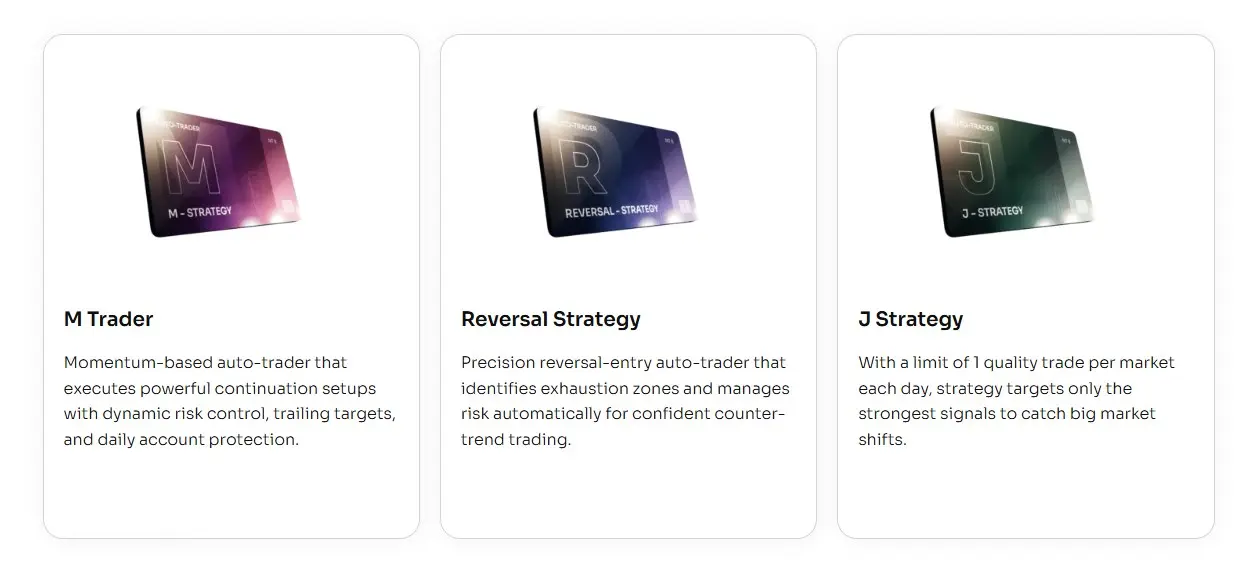
M Trader and Reversal Strategy trade limits update for NinjaTrader 8
M Trader and Reversal Strategy now use trade-count daily limits instead of the older PnL-based system. The update… Read guide
Update: Faster & Safer Auto-Trading in NinjaTrader 8
December 2025 update improves MASCapital auto-traders with faster stop handling, safer order protection, and smarter session-close logic. Read guide
Reversal Strategy for NinjaTrader 8 — Full Setup, Testing & Risk Guide
Step-by-step guide to install, configure, and test the Reversal Strategy in NinjaTrader 8. Includes risk controls, PnL limits,… Read guideNeed a hand with the settings?
Tell us the instrument and session you trade. We will check the template with you.
Before you start it.
How do I start it?
Add the strategy, load a template, choose the account and enable it.
What is in a template?
Pre-defined entry, stop, target and session settings for one way of trading.
Which platform does it run on?
NinjaTrader 8.
Can I change the settings?
Yes. Load a template as the starting point, then adjust what you need.
Does it place trades?
Yes. Once enabled on an account, it sends the entries the template defines.
When does it trade?
During the hours set in the template.
What does it not do?
It does not supply a data feed, a broker account or a profit guarantee.
How do I review it?
The CSV trade log records every closed trade with net P/L.
Can I cancel my subscription?
Yes. Cancel from My Account → Subscriptions. The plan stops renewing.
Can I move the license to another machine?
Yes. License transfers are included.