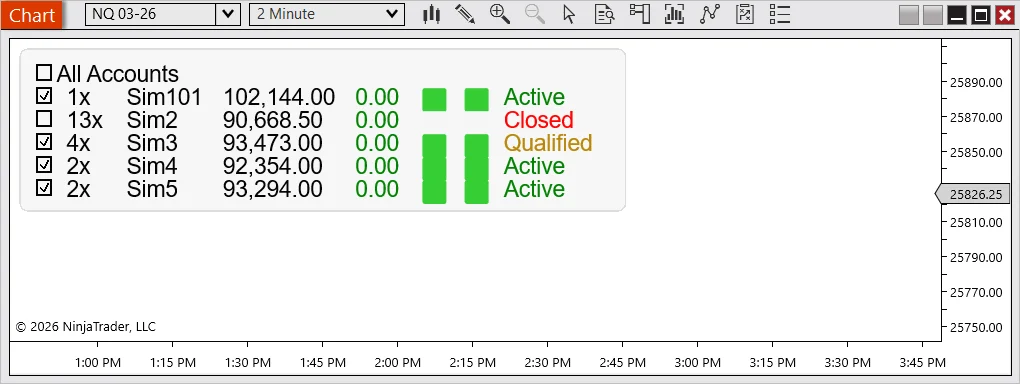
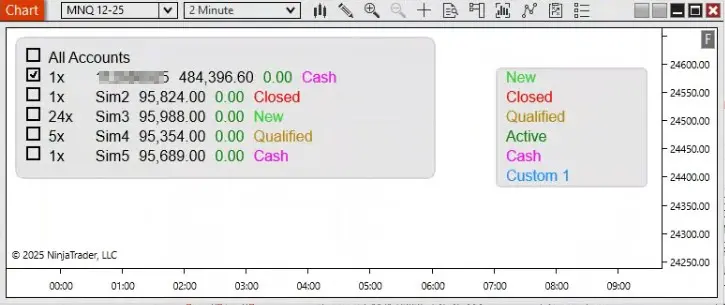
handy tool for managing multiple accounts. It saves s from manually entering the same trade across accoutns. I had a little trouble at first with setup because the instructions were short, but after testing it was smooth. Solid product overall.
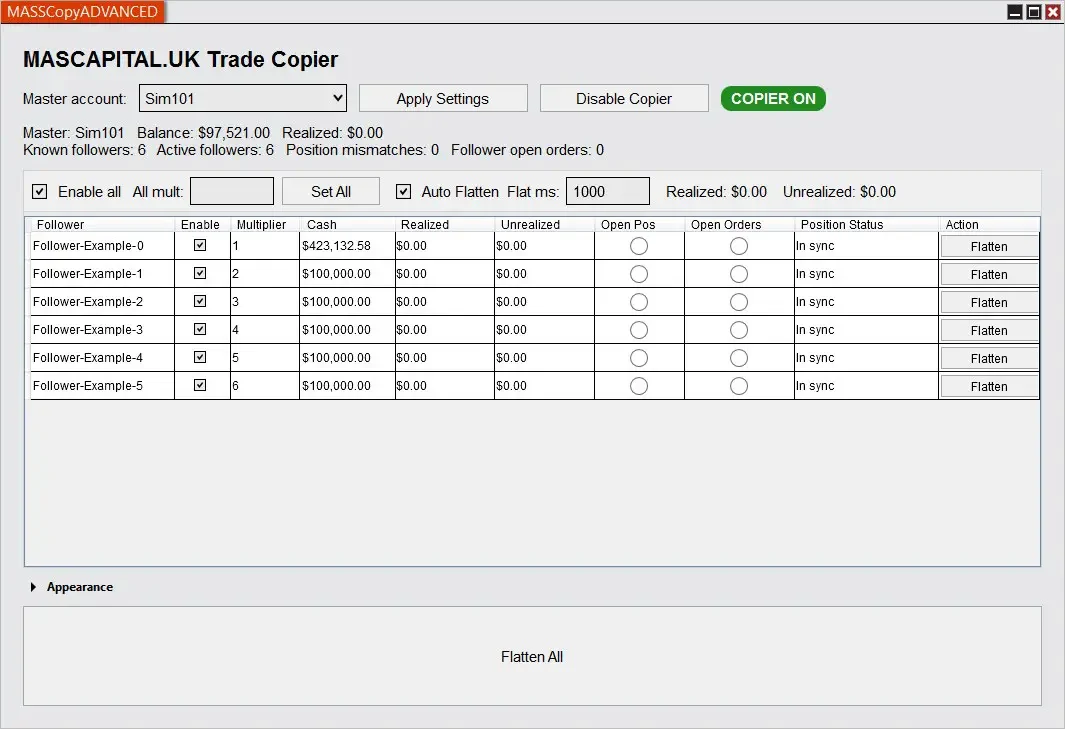
Trade from one master account and watch every follower.
Trade Copier mirrors orders from your master account to the follower accounts you enable, with a size multiplier for each and a live status row.
NinjaTrader 8 · Per-follower size · Flatten controls
Same features, different terms.
- Billed yearly
- Renews yearly
- Lower upfront cost
- Cancel anytime
- Unlimited Machine ID changes
- Support and remote assistance
- Updates
- One payment
- No renewal
- Lifetime access
- Unlimited Machine ID changes
- Support and remote assistance
- Updates
- New feature requests
Prices in USD. The trial runs for 14 days.
One order, every account.
One order reaches every enabled account
Place it on the master and the copier sends it to each follower.
Each follower sets its own size
A multiplier per account, applied to the master quantity.
See who is out of line
The grid shows position, orders and mismatch state per account.
Flatten one or all
Close one follower from its row, or flatten every enabled account.
Set it up in four steps.
Open the copier
Launch the add-on from NinjaTrader's Control Center.
Pick the master
Choose the account whose orders will be copied.
Enable followers
Turn on each account and set its multiplier.
Trade, then flatten
Work from the master and use Flatten when you are done.
One order leaves the master.
Every enabled account receives it at its own size. Disabled accounts are untouched.
Multipliers are whole numbers, so each follower matches or exceeds the master size.
What the grid shows.
One row per account, updated as orders fill.
- Master
- The account you trade
- Followers
- Each enabled connected account
- Multiplier
- Per follower, whole numbers
- Orders
- Instrument, side, type and prices
- Mismatch
- Shown per account in the grid
- Flatten
- One row, or all accounts
The add-on copies orders, not ATM templates or account settings.
What traders say about the copier.
Product feedback
Trade Copier · customer reviews
-
Patrick Verified owner
-
Sink Verified owner
EXACTLY WHAAT I NEEDEDDD!!!
-
R Brennan Verified owner
cheapes on the market
-
AndreeaB Verified owner
Works good. But had to ask for different and more stable version. For me best working one is v8. 15 is not so great in my workflow. Using it for apex accounts. thank you
-
jacvivo13
Started to use some of the free indicator tools. Works amazing, after thorough use of free indicators will switch to premium addons.
Set it up properly.
Trade Copier for NinjaTrader 8: new Add-On version released
Trade Copier for NinjaTrader 8 is now a Control Center add-on. Use one master account to copy trades… Read guide
Trade Copier v25.1 Update — Improved UI & Real-Time Slave Tracking
Trade Copier v25.1 brings a cleaner, more intuitive interface and introduces real-time tracking of slave orders and positions.… Read guide
Trade Copier Update — Cleaner UI, Smarter Dropdowns & Faster Workflow
MASSCopyADVANCED receives a major usability upgrade with clearer visuals, smarter dropdown behaviour, adjustable spacing, and cleaner templates. This… Read guideNeed a hand with the setup?
Tell us your master and follower accounts. We will check the multipliers with you.
Before you copy.
Which platform does it run on?
NinjaTrader 8.
Does the master have to be a SIM account?
SIM is recommended. The copier can read other live accounts, so test your setup first.
Which accounts can follow?
Connected accounts with at least $1 in cash.
Can a follower copy smaller than the master?
No. The multiplier starts at 1, so size matches or exceeds the master.
What happens if I change or cancel?
Price changes re-price followers; cancels and rejects cancel the copies.
Does Flatten All close the master?
Yes. It flattens the master too and pauses copying briefly.
What does it not do?
It copies orders only. It does not replicate ATM templates or repair positions.
How many followers can I enable?
Up to 999 accounts.
Can I cancel my subscription?
Yes. Cancel from My Account → Subscriptions. The plan stops renewing.