Target & Stop Summary
Track profit and risk for stop and target orders in ticks, points, or currency.
NinjaTrader 8 chart indicator
Advanced Trader
NT8 compatible
14-day trial
Full trade control
Advanced Trader
From: $0 for 2 weeks
A chart-level risk dashboard for open NinjaTrader positions, working stop orders, target orders, and saved R/R ruler levels.
Advanced Trader answers the question open-position traders keep checking: what is my real risk right now?
When you scale, move a stop, or change a target, the trade can stop matching the plan you had in your head.
The indicator reads the selected Chart Trader account and turns active orders into practical risk and reward labels.
It watches the active account context and draws the useful parts of the trade where the trader is already looking.
Advanced Trader uses the selected Chart Trader account for the chart instrument.
It checks the active position, average entry, working stop orders, target orders, and order quantities by price.
The chart shows order boxes, ruler levels, and a position summary with risk, reward, size, and R/R.
The useful work happens after the position is open, when the trader needs a clean read of exposure.
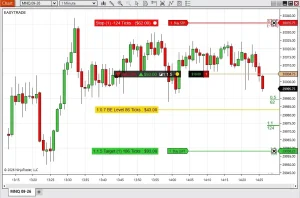
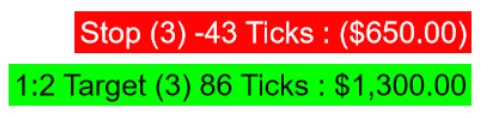
Order info boxes can show order name, contract count, distance from entry, tick or point distance, currency value, and target R/R.
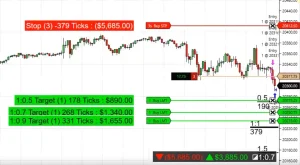
The summary box shows total risk, potential reward, position size, average entry price, and the overall R/R ratio.
Use fractional and full R levels, including custom values across Level #1 through Level #6.
Click the SAVE R/R toolbar button or use a function-key hotkey to lock the current stop reference for the ruler.
Change fonts, colors, opacity, line widths, line lengths, text visibility, and summary box placement.
The original chart examples show the order info boxes, R/R ruler, and summary overlays in real NinjaTrader chart context.
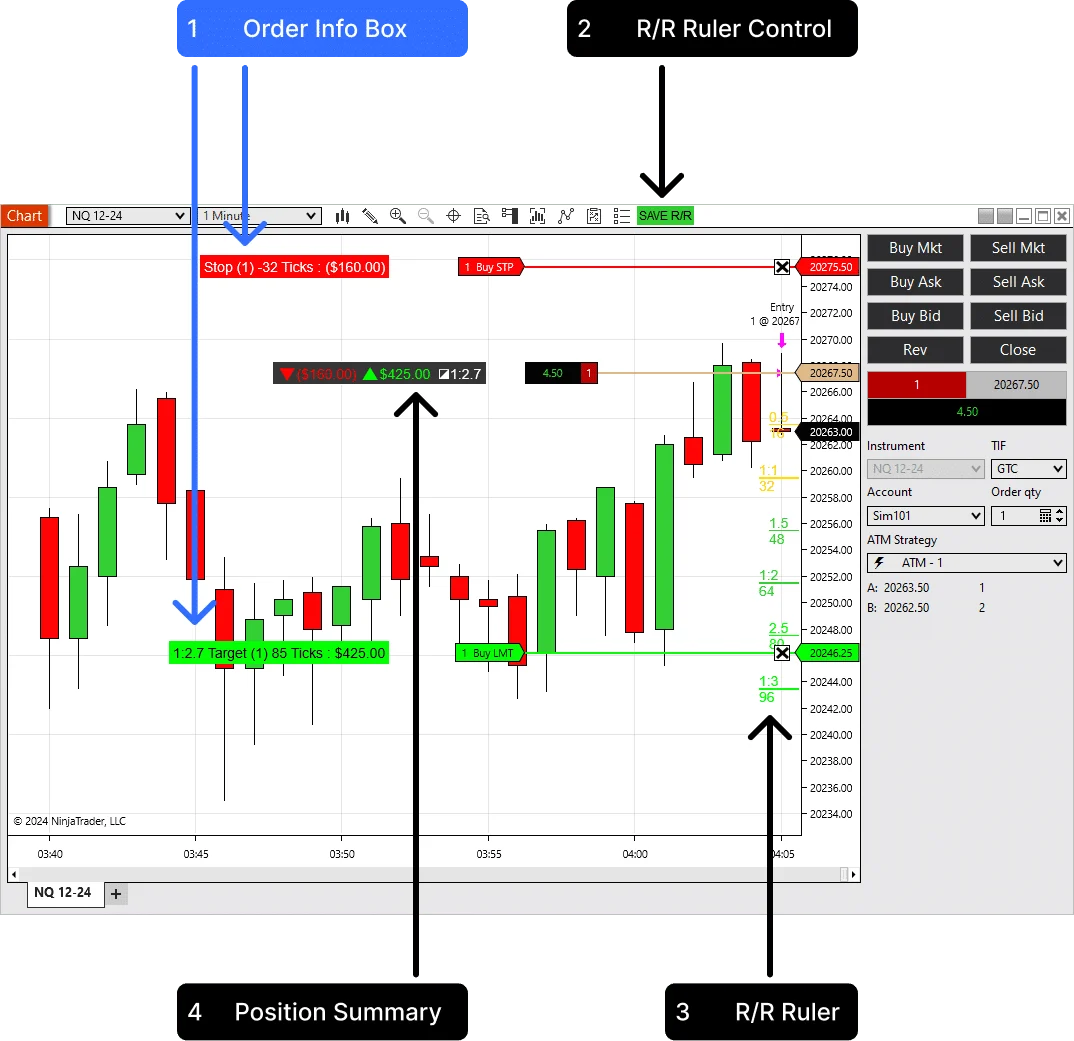
Show the stop and target order context with ticks, points, currency, contract count, and optional R/R labels.
Save the current stop reference so the R/R levels remain visible while the chart updates or the trade is being reviewed.
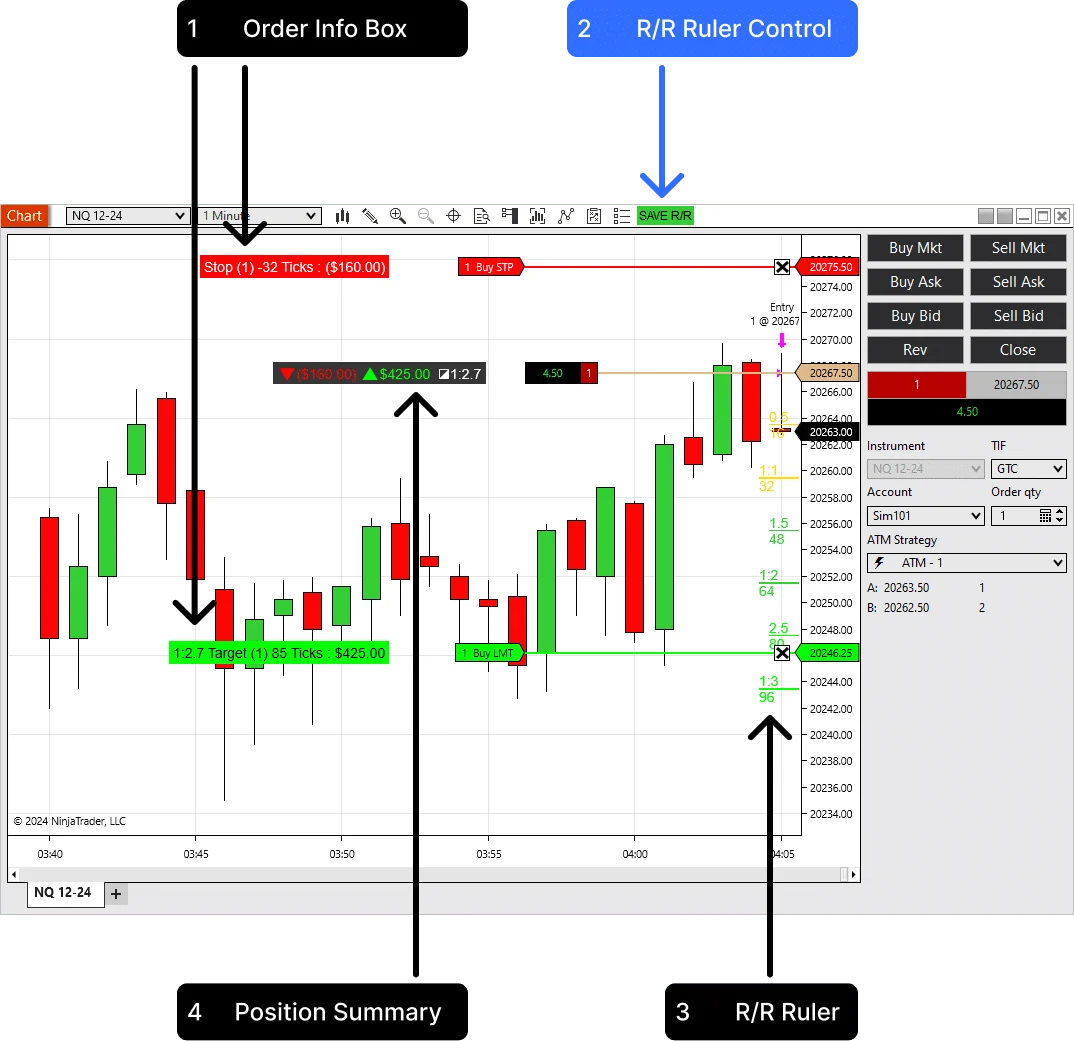
Small labels, but useful ones: risk, target, full position context, and the R levels tied to the current stop.
Track profit and risk for stop and target orders in ticks, points, or currency.

See the whole trade: potential loss, target value, position size, and risk-to-reward ratio.
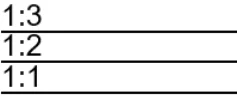
Calculate profit levels from the stop order, save the stop reference, and trade without extra drawing tools.
Add it to the chart, select the Chart Trader account, then let the indicator track the active position.
Advanced Trader does not submit trades. It helps you understand the trade already running on the selected account.
Load Advanced Trader on a NinjaTrader 8 chart with Chart Trader enabled.
Choose the account you want the chart to read from the Chart Trader account selector.
Place or adjust stops and targets while the indicator recalculates risk and reward values.
Use SAVE R/R or the configured hotkey when you want to lock a stop reference for the ruler.
The summary is useful when there are multiple orders or when the position has already been adjusted.
Place the summary top-left, top-right, bottom-left, bottom-right, or near the entry line. Choose the outline, opacity, and colors so it stays readable without covering price action.
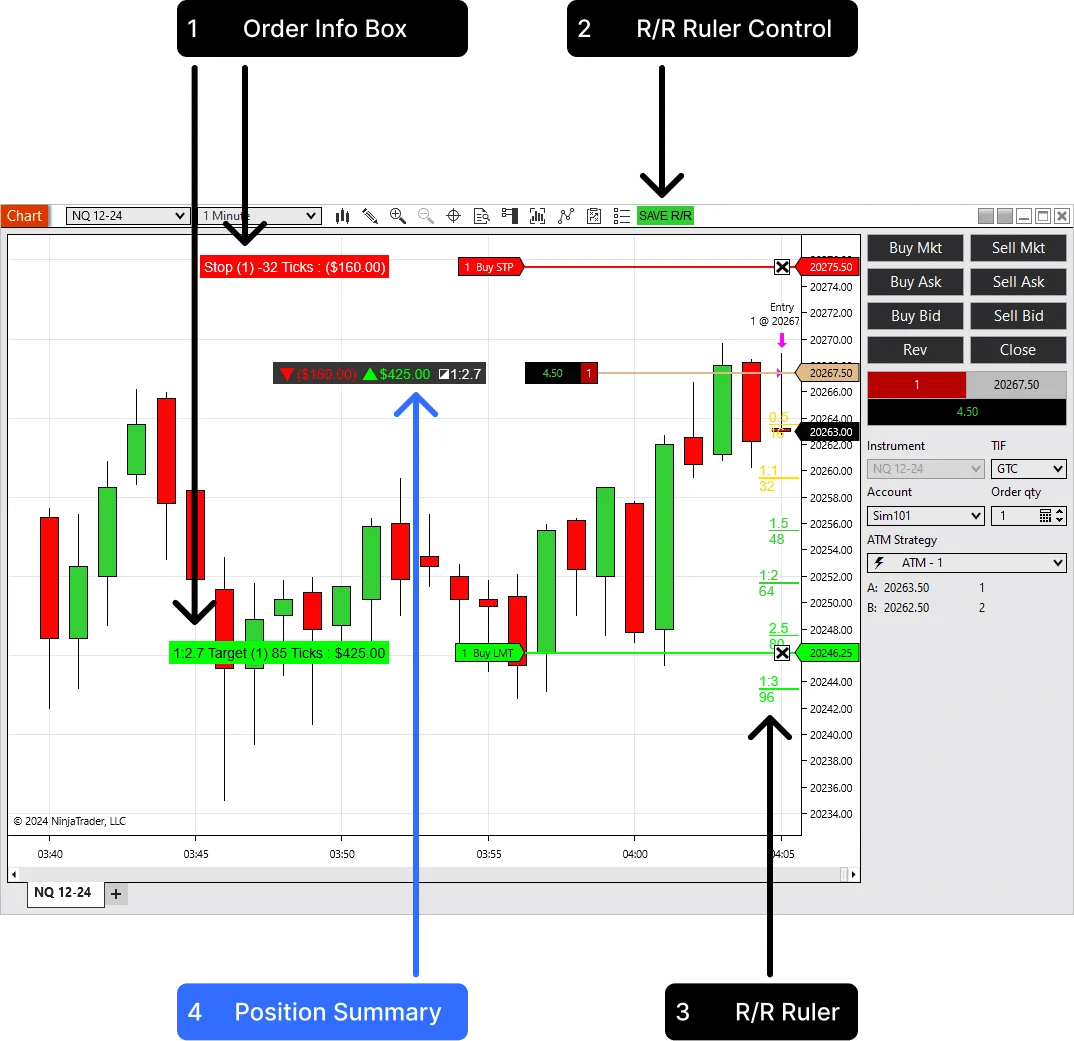
Risk and reward are calculated from the active position and working orders.
Display values can use ticks, currency, or both.
The summary can move away from price action or sit near entry.
The indicator adds a chart toolbar control and supports function-key hotkeys for faster sessions.
The SAVE R/R button appears on the active chart tab. Use it when you want to save the current stop reference and keep the planned R levels visible.
Use F2, F3, F4, or F6 through F12. Set the behavior to press once to save, or hold the key to reset the saved view.
The videos show the indicator inside NinjaTrader, including live risk labels and dynamic R/R levels.
Use this view while the trade is open, so the stop side and target side are readable without manual calculations.
The ruler uses the entry-to-stop distance to project fractional and full reward levels directly on the price scale.
Advanced Trader is useful because it separates order-level details from the position-level read.
Built for discretionary traders who care about the actual exposure of the open position.
Keep current stop risk and target reward visible while managing fast intraday trades.
See the dollar risk on the chart before a small adjustment turns into a larger-than-planned loss.
Use the position summary when average entry, size, stops, and targets are no longer simple mental math.
Use the R levels to think through whether a target structure still matches the way the setup moves.
Advanced Trader is for live risk clarity. Trade Analyzer PRO is useful when you want to study target behavior over a batch.
If you are refining ATM targets, use Advanced Trader during the session and Trade Analyzer PRO when you want CSV-based reward multiple analytics afterward.
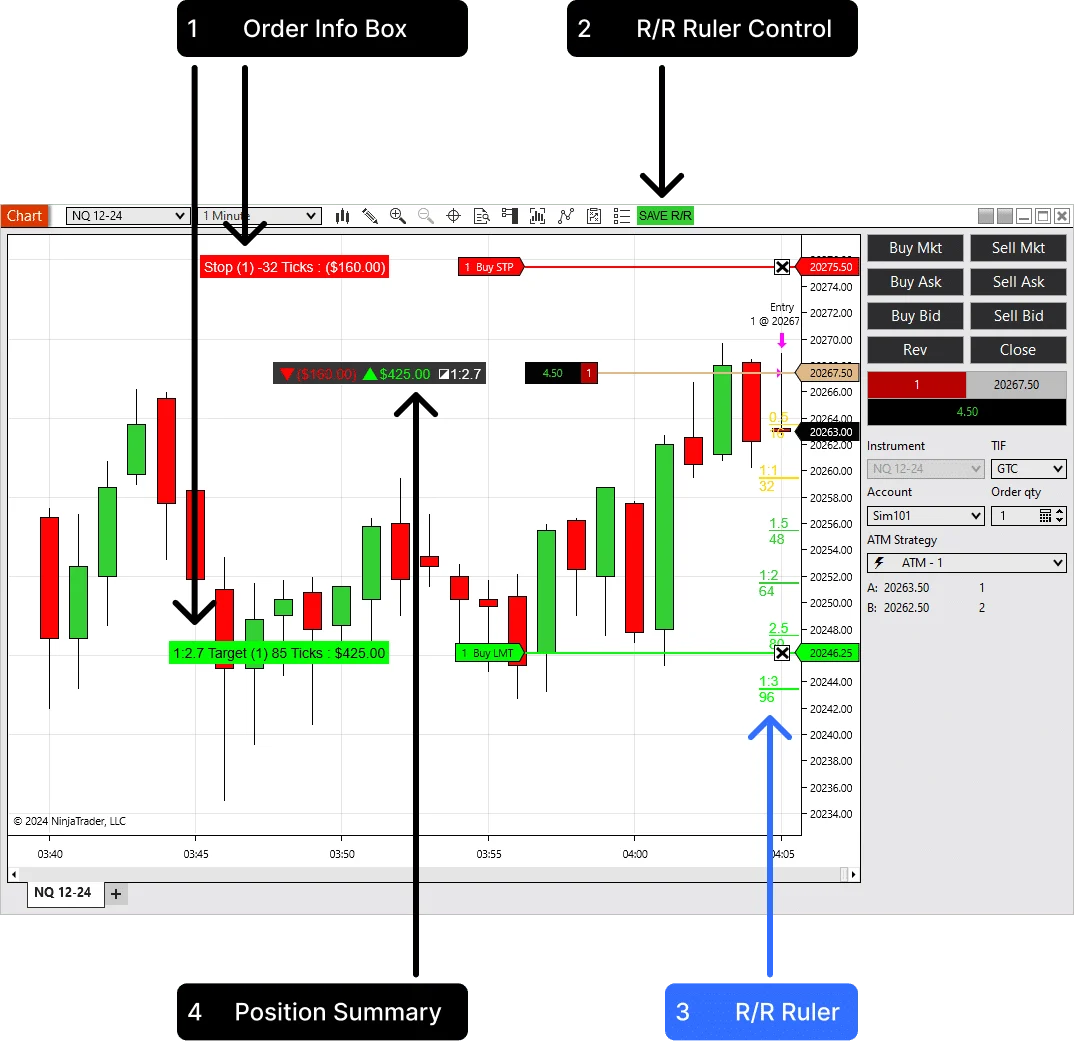
These controls change how the indicator fits into the trading screen.
Info Box DisplayShow ticks, currency, or both on stop and target order boxes.
Summary Display PositionMove the summary to a chart corner or attach it near the entry line.
Stop Save MethodUse the chart button or a function-key hotkey to save the stop reference.
Hotkey BehaviourChoose press-to-save or hold-to-reset behavior for faster live use.
Show Fractional LevelsShow or hide half-step and custom fractional reward levels.
Level #1 - #6Define the R levels that match your trading plan instead of using one fixed ruler.
The indicator uses live chart account context and custom rendering. The trader does not need to type in position size or stop price manually.
Advanced Trader reads the active Chart Trader account, current position, average entry price, and working stop and target orders for the chart instrument.
It converts entry-to-order distance into ticks or points and can calculate currency values using instrument point value and position size.
It is practical because it uses the real open trade, not a manual drawing detached from the account.
The display follows the Chart Trader account and the chart instrument, which keeps the risk view tied to the active trading context.
The position summary is built for total risk and reward, which is more useful than reading each line in isolation.
The toolbar button and hotkeys make the stop reference easy to save without leaving the chart.
Start with the trial, then choose annual or lifetime access if the live risk view fits your NinjaTrader workflow.
Test Advanced Trader with your own NinjaTrader charts before choosing a plan.
Use the indicator for one year with updates and support.
Order info boxes, position summary, R/R ruler levels, hotkey controls, and customizable styling.
Pay once and keep Advanced Trader in your trading setup.
Lifetime license, regular updates, support, feature request options, and unlimited machine ID changes.
Start Free Trial - No Credit Card Required. The trial is available once per user.
Short answers for the buying questions that usually come up first.
Yes. It is built as a NinjaTrader 8 chart indicator.
No. It reads the selected Chart Trader account and displays risk, reward, and order information on the chart.
Yes. The display can show ticks, currency, or both, based on the indicator settings.
Yes. The summary can sit in a chart corner or near the entry line, with adjustable colors, outline, and opacity.
Yes. F4 is the default, and the settings include F2, F3, F4, and F6 through F12.
Yes. The paid license includes unlimited machine ID changes for transfers.
Start with the 14-day trial, then choose annual or lifetime access if Advanced Trader fits your chart workflow.
Articles
Product feedback
calculates everything automatically, in real time. It’s helped me extract more from the market than ever before. Great price and excellent support.
Tried trading on my laptop without Advanced Trader. lasted 12 minutes, bought the second license instantly.
My favorite detail: it recalculates tick-to-currency conversions every tick using live contract multiplier, not cached values.
That means when I shift from MES to ES mid-session, the dollar projection updates automatically.
The intermediate R lines (I use 0.7 / 1.2 / 2R) are calculated from true stop distance, not bar size or some weird synthetic logic.
Combined with the floating label it behaves like a professional order-alignment tool. Amazing engineering.
It shows stops, targets, R:R... all good. Just feels like a lot of colors and labels. Maybe I’m more of a minimalist. Still useful, just not game changing for me personally.
I mainly use it to see RR targets. The 1R and 2R lines appear instantly and help me plan exits better. Didn’t even touch any advanced settings yet. Works good out of the box
All I wanted was a simple way to see: “If this hits stop, I lose $X.”
This indicator literally puts that on the chart in giant clean text. That alone made it worth it. Everything else (R levels, opacity, colors) is just nice bonus stuff.
I’m not a technical trader. I just like seeing where my stop, entry, and take-profit are without drawing 50 lines. This thing shows everything for me, big clear colors, and I can move stuff around without thinking. Helps me stay calm.
After having Advanced Trader on my main PC and then trying to trade on my laptop during flights… man, it actually hurts. You don’t realize how much you rely on those stop/target ribbons and the RR readout until they’re not there. I legit felt blind. Ended up buying a second license because I couldn’t stand trading without it.
Seriously. if you use two computers, just ask them for a custom license for both machines. I promise, you won’t loose… you’ll actually save yourself the headache.
Running NQ on a 4K monitor, the text clarity is great. Nice to have everything clear on the chart. The update loop is smooth with zero stutter, even during 9:30 volatility when DOM is exploding. Stop/target ribbons sync perfectly with my live orders, not drawing tools, actual linked order objects , so the R multiple readout is always precise. The ability to anchor the summary card to right edge while keeping intermediate 0.5R/1R/2R levels visible is basically a tier-one risk dashboard. This thing finally lets me monitor R:R drift in real time without digging into ChartTrader. Love it.
Took me a bit to figure out the best settings, but once dialed in it’s been very reliable. The interface is clean and not overloaded with useless stuff. Would give 5 stars if the documentation was a bit more detailed for beginners.
I’ve been using Advanced Trader for about a month now and it has changed the way I handle my trades completely. trading now is clear, and the risk/reward logic actually makes sense in live conditions (not just on paper). Compared to other tools I’ve tried, this one feels polished and designed with real traders in mind. The installation was quick and easy. My only regret is not starting with this earlier because it saves so much time and frustration.
Thank you for a great tool. After trial you barely can trade without this tool. So good
Setup was fine, docs could use 1–2 screenshots more. Price is fair (I’ve paid way more for less).
*Writing this after 5mo using this addon. So far I can clearly say that I CAN"T use ninjatrade without this addon on my computer. Had to buy second license for me laptop and write this review. ADVANCED TRADER IS REALLY GOOD. makes my workflow way faster and helps with planning trades better. don’t even wanna think how i managed without it before lol. must have for real.
I always have problem to know what i am making while i am in the trade, Advanced trader gives me the exact calculation real time and when i change my target to stop i know exactly how much is at risk and how much I am making. and it is quite cheap for what i am getting.
The features are overhyped. It's okay. The Pos summ feature is helpful, but I expected more advanced functionalities. The tool is lightweight and fast, as advertised, but it didn't significantly enhance my trading strategy. Maybe improved it slightly but not more than that.
Helpful? Absolutely. Satisfied? Definitely. Provides useful information? Yes. Improves my trading? Sometimes. Do I find myself using it all the time now? Without a doubt. 4.75/5.
Was immidiate piurchase based of my friend recommendation
Read live risk, reward, stops, targets, and R/R levels directly on the chart.