MANAGED TRADING+ FREE INDICATORS+ TRADE COPYING+ AUTOMATED TRADING+ ENTRY SIGNAL INDICATORS+ TRADE INDICATORS+ QUALITY OF LIFE ADD-ONS+ NINJATRADER SOLUTIONS+ MANAGED TRADING+ FREE INDICATORS+ TRADE COPYING+ AUTOMATED TRADING+ ENTRY SIGNAL INDICATORS+ TRADE INDICATORS+ QUALITY OF LIFE ADD-ONS+ NINJATRADER SOLUTIONS+
Free Indicators Pack

NinjaTrader 8 automated strategy

M Trader Strategy

A NinjaTrader 8 auto-trader with MAS pre-made template sets, guided setup, bi-weekly updates, and strategy reports sent to your email.

Choose access See details

Templates included

NinjaTrader import

Bi-weekly updates

Strategy

M Trader Strategy

From: $115 / week

Setup-first automation: Import the add-on, load a template set, and test it before live use.

Read More

Pre-made template sets Import through NinjaTrader Control Center Bi-weekly set and market updates Bi-weekly strategy report to email
01

A momentum strategy package

M Trader is the MAS strategy for traders who want momentum-style automation with managed exits, template sets, updates, and report context.

What it is about

Movement first, then management

M Trader is built around a momentum idea. It looks for movement, applies the selected template rules, then lets NinjaTrader manage the trade plan from the loaded set.

Momentum-style setup package Long, short, or reversed direction testing Break-even, trailing, daily limit, and report workflow
Momentum readDesigned around active price movement rather than session-open or pivot-style logic.
Template setMAS sets give the strategy a ready starting point inside NinjaTrader 8.
Trade managementStops, targets, break-even, trailing, and limits stay tied to the loaded settings.
Review loopBi-weekly updates and reports give context for ongoing testing.
02

How M Trader differs from the other strategies

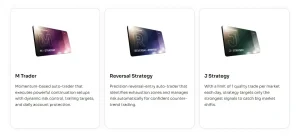
All three strategies use MAS template sets. The difference is the kind of market behavior each package is built around.

M Trader

Momentum package

Best fit when you want a strategy centered on movement, active trade management, reports, and template updates.

J Strategy

Session structure

More focused on the opening-session workflow, staged testing, and one-trade-per-template review.

Reversal Strategy

Reversal areas

More focused on reversal-style setups, confirmation, stale setup control, and bi-weekly set refreshes.

03

Install, load template sets, start testing

M Trader follows the same MAS strategy routine: import the add-on, load a template set, test it, and review the strategy report.

Setup flow

Templates do the setup work

Download M Trader, import it through NinjaTrader, and load a template set in a test environment. The setup guide keeps the process clear, and support is available if you get stuck.

Import the NinjaScript add-on Load the included sets Review updates and reports by email
04

Import, load, test, review

Start by importing the add-on, loading a template set, testing it, and reviewing the report notes.

Setup workflow

Use the Control Center flow

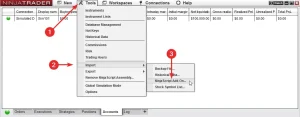
Import M Trader from NinjaTrader Control Center, confirm the template replacement prompts, restart NinjaTrader, and load a set from the Strategy tab.

  • Templates are included with the strategy package.
  • Separate test accounts help keep each template set organized.
  • Remote setup support is available when needed.
Step 1

Import

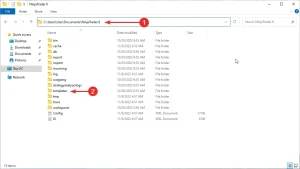
Use Tools > Import > NinjaScript Add-On and confirm the import messages.

Step 2

Restart

Restart NinjaTrader so the newest strategy files and templates are active.

Step 3

Load

Choose a template set through the Strategy tab and load it in NinjaTrader 8.

Step 4

Test

Run the set in a test account or test environment before considering live use.

05

Template sets included

Use MAS pre-made template sets as the starting point, then follow the updates and reports to keep the package current.

Pre-made sets

Start from MAS template sets instead of building the setup yourself.

Market updates

Receive updates when MAS adds or refreshes markets in the template sets.

Set testing

Test each set on a separate account, then choose the templates you want to keep running.

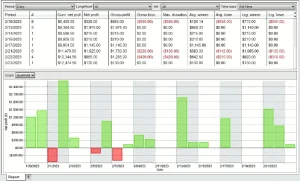
Report context

Use the emailed strategy report to understand what changed and what was reviewed.

Setup guide

Follow the written guide when importing files and loading sets.

Remote support

Ask for help if installation or setup blocks you.

Update notes

Track what changed in the latest set update.

Ongoing access

Choose the license term that matches how long you want to follow the updates.

06

Templates, updates, and reports keep the product moving

M Trader is a full operating package: template sets, market updates, support, and performance reporting.

01

Templates included

Start with MAS pre-made template sets instead of rebuilding the setup.

02

Bi-weekly updates

Receive updated sets with new markets, recent results, and performance notes.

03

Reports to email

MAS sends a bi-weekly strategy report to your email, so you can review current activity without chasing files.

04

Setup support

Use the setup guide first. If something blocks you, remote support can help with installation and setup issues.

07

Choose access

Start with the common options. Open the full list only when you want the multi-month plans.

Included with access

Templates, update notes, reports, and setup support

Choose a license term, import the add-on, load a template set, and follow the bi-weekly reports.

Weekly

Weekly access

$115 / week
  • Flexible start

    Best when you want a short entry point for testing template sets.

  • Includes

    Strategy access, template sets, updates, reports, and support resources.

Lifetime

Lifetime access

$8,500 / once
  • For long-term users

    Best when you want access without recurring license decisions.

  • Includes

    Lifetime access, template sets, updates, strategy reports, and support.

08

Questions before purchase

Short answers about setup, template sets, updates, reports, and testing.

What platform is it for?

M Trader Strategy is built for NinjaTrader 8.

How do I install it?

Import the file from NinjaTrader Control Center using Tools > Import > NinjaScript Add-On, then restart NinjaTrader.

Are template sets included?

Yes. M Trader includes MAS pre-made template sets for NinjaTrader 8.

How should I test it first?

Load each set on a test account or test environment, review the reports, then choose what belongs on the main account.

Can a set include several templates?

Yes. Test the set first, then keep the templates you want to run on the main account.

Can it trade more than once per day?

Yes. M Trader is a regular automated strategy and can take multiple trades during a day depending on the loaded set and market behavior.

Do you send updates?

Yes. MAS provides bi-weekly set updates with new markets, recent results, and performance notes.

Do I get reports?

Yes. A bi-weekly strategy report is sent to your email, including current performance information and update context.

Can I get help with setup?

Yes. Use the setup guide first. Remote support is available for installation and setup issues.

Does it guarantee profit?

No. Automated trading still carries risk. Reports and updates are informational, not a promise of future results.

Start with the sets, then follow the updates

Choose access, import M Trader into NinjaTrader 8, load the included template sets, and use the bi-weekly reports to keep your testing current.

Articles

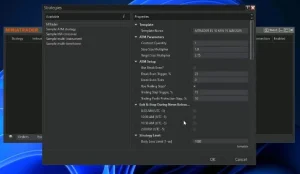
M Trader and Reversal Strategy trade limits update for NinjaTrader 8

M Trader and Reversal Strategy now use trade-count daily limits instead of the older PnL-based system. The update lets the strategies stop new entries after a set number of wins, losses, or consecutive trade outcomes, while breakeven trades stay neutral and open positions continue to be managed normally.

Update: Faster & Safer Auto-Trading in NinjaTrader 8

December 2025 update improves MASCapital auto-traders with faster stop handling, safer order protection, and smarter session-close logic.

M Trader for NinjaTrader 8 — Automated Strategy Setup & Guide

Learn how to install, set up, and test the M Trader automated strategy in NinjaTrader 8. Includes SIM accounts, templates, testing, and troubleshooting.

How to Test and Use Templates for Automated Trading (NinjaTrader 8)

Learn how to effectively test and use templates for automated trading using NinjaTrader 8. Evaluate performance and use templates wisely. Free strategies available.

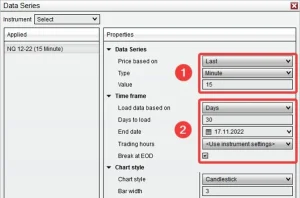
NinjaTrader 8 Automated Strategy Not Working? The Definitive Fix Guide

Is your NinjaTrader 8 strategy not placing trades or won’t enable? Follow this checklist to fix data series, template, session, and license issues.

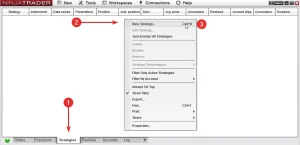
How to Add a Strategy in NinjaTrader 8 (Control Center & Chart Methods)

Learn two methods to add and enable strategies in NinjaTrader 8 — via Control Center and chart. Step-by-step with screenshots and troubleshooting.

How to Manually Import Strategy Templates Into NinjaTrader 8?

Step-by-step instructions to manually import strategy templates into NinjaTrader 8. Includes best practices, file format tips, and troubleshooting help.

How to Install an Automated Trading Strategy in NinjaTrader 8

This step-by-step tutorial walks you through installing an automated strategy in NinjaTrader 8. Whether you’re importing your first file or troubleshooting, you’ll find practical tips for a smooth setup.

M Trader Strategy

Quick access

Auto-trader with pre-made template sets, guided setup, bi-weekly updates and more.

$115 / week
Get Weekly License