Session structure before signals
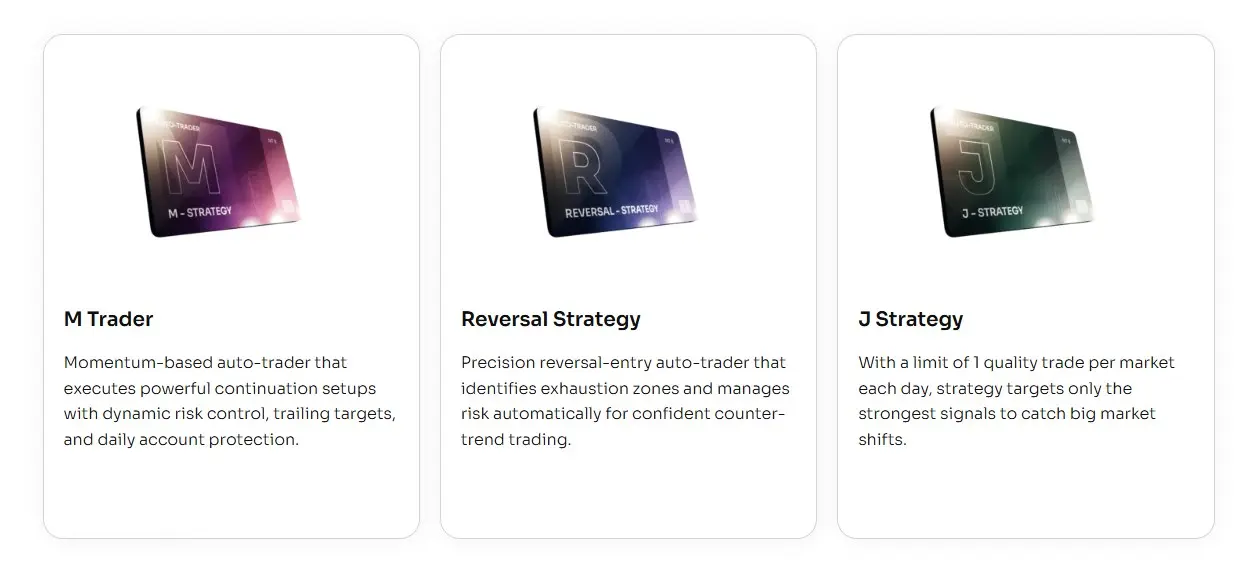
J Strategy is built around the start of the active session. It gives users a session-based automation package with a clean testing routine, without asking them to rebuild the setup from scratch.
NinjaTrader 8 automated strategy
J Strategy Auto-Trader
Templates included
Remote support on request
Bi-weekly updates
J Strategy
From: $99 / week
J Strategy is the MAS strategy for traders who want a structured session routine, template-set testing, logs, and controlled review.
J Strategy is built around the start of the active session. It gives users a session-based automation package with a clean testing routine, without asking them to rebuild the setup from scratch.
All three strategies include template sets. J Strategy is the one that feels most structured around the session and review routine.
More focused on momentum-style movement, active management, reports, and update notes.
Best fit when you want a session-based strategy, organized set testing, and trade logs for review.
More focused on reversal-style setups, confirmation, stale setup control, and bi-weekly set updates.
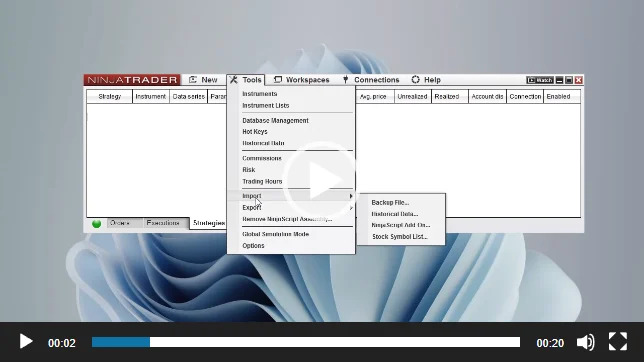
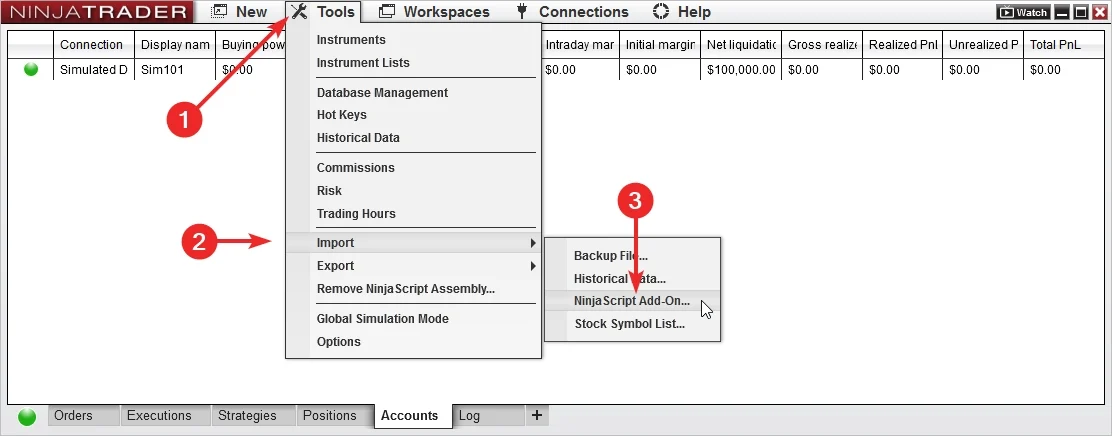
Import the add-on, load a MAS template set, and test it inside NinjaTrader 8 before going live.
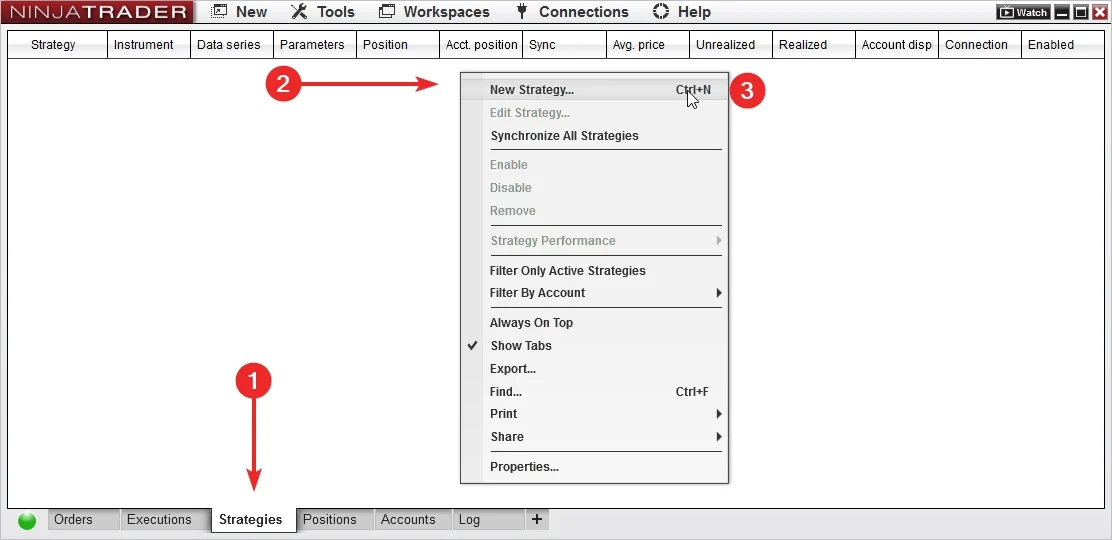
Add J Strategy to NinjaTrader 8, confirm it appears in the platform, and keep the first session focused on installation.
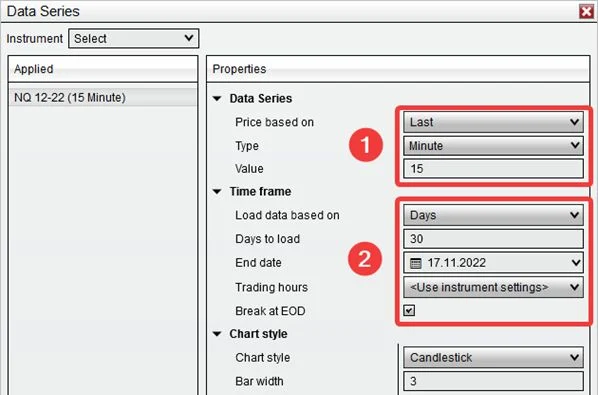
Use a MAS pre-made template set as the starting point. Test sets on separate accounts before choosing what to run live.
The shared strategy routine is simple: import the files, load a template set, test it, and review the output.
Use the same order each time. It keeps set testing cleaner and gives support a better record to review.
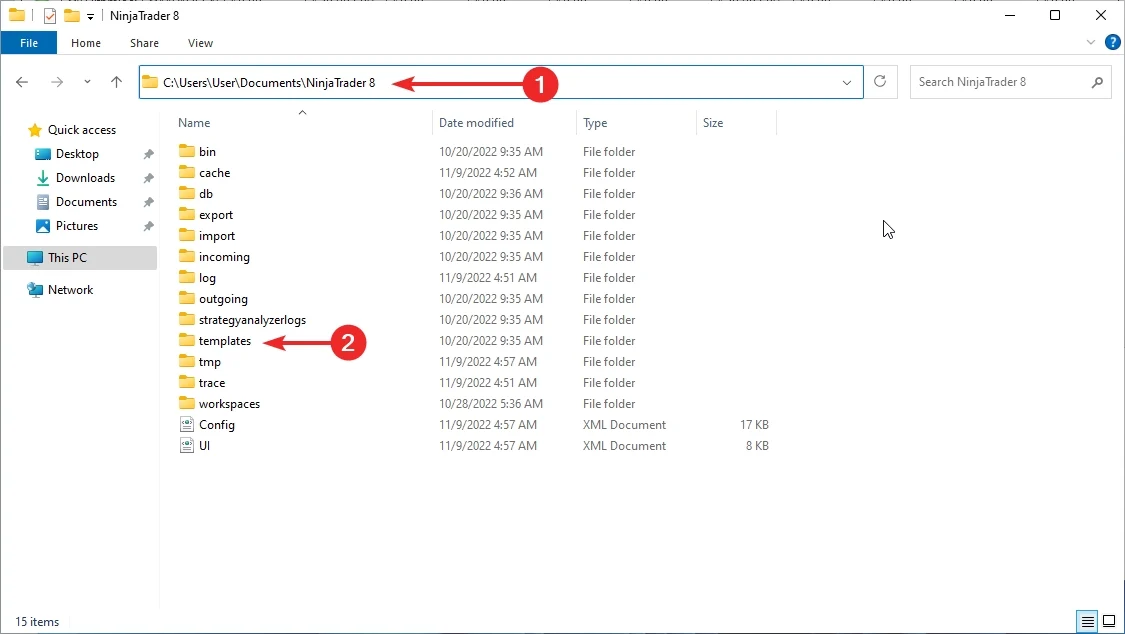
Install the add-on and template package in NinjaTrader 8.
Select a MAS pre-made template set to test.
Run the set in a test account or test environment.
Check behavior and logs before changing sets.
Template sets give J Strategy a consistent starting point while the strategy handles automation inside NinjaTrader 8.
Start from MAS maintained sets instead of building the setup yourself.
Run each set on its own test account so notes and results stay readable.
The strategy runs inside NinjaTrader 8 after the add-on and template set are loaded.
J Strategy is designed around one trade per template per day, making each template easier to review.
Use recorded session behavior for review and support questions.
Keep the add-on and template package current during active access.
Pre-made template sets are included with access.
Set testing works best on separate test accounts.
Support and recent updates are included during active access.
Use a test account or test environment before live use. Test sets separately, then choose what belongs on the main account.
Load a set, let it run long enough to understand behavior, then review the log before changing anything.
Use the setup guide to install the add-on, then start testing from the included template sets.
Import the strategy, open the setup guide, and confirm the add-on is available in the right NinjaTrader workspace.
Load a pre-made template set from the package before you begin testing.
Use the log and order history to understand what happened before changing sets or extending access.
A repeatable import, load, test, and review routine makes J Strategy sets easier to compare over time.
Keep notes on which set you tested, when you tested it, and what the trade log showed.
J Strategy gives you a maintained strategy package, template sets, updates, and support resources.
Start from MAS pre-made template sets instead of spending the first session rebuilding the setup.
Import, load a set, and begin testing inside NinjaTrader 8.
Track which set you tested instead of changing many variables at once.
A set-based routine is easier to compare than a session that changes from one test to the next.
Use the same import, load, test, and review steps for each set.
Recorded behavior makes installation and template-set questions easier to diagnose.
Access includes MAS pre-made template sets, setup resources, recent product updates, and remote support on request.
Use the included sets as the starting point for organized testing.
Access includes recent product updates during the license term shown in the pricing plan.
When installation or template-set loading needs a second look, remote support is available on request.
Start with the common plans. Open the full list if you want the quarterly or six-month options.
Choose a license term, import the add-on, load a set, and test it before live use.
Use when you want a short license window before choosing a longer term.
Strategy access, pre-made template sets, updates, support, and remote support on request.
Use when you want enough time to test and review template sets.
Strategy access, pre-made template sets, updates, support, and remote support on request.
Use when J Strategy is part of a longer testing and operating plan.
Strategy access, pre-made template sets, updates, support, and remote support on request.
Use when you want more time than a monthly license without committing to the year.
Strategy access, pre-made template sets, updates, support, and remote support on request.
Use when you want several months of access with fewer renewal decisions.
Strategy access, pre-made template sets, updates, support, and remote support on request.
Use when you want long-term access without subscription renewals.
Strategy access, pre-made template sets, updates, support, and remote support on request.
Short answers about template sets, testing, support, and access.
J Strategy is built for NinjaTrader 8.
Yes. It can place and manage trades inside NinjaTrader 8 after the add-on and template set are loaded.
Yes. J Strategy includes MAS pre-made template sets for NinjaTrader 8.
No. Start with the included sets and test them in your own environment.
Yes. J Strategy sets can include several templates running on the same account.
Load a set to a test account or test environment, review the trade log, then choose what belongs on the main account.
J Strategy is designed around one trade per template per day.
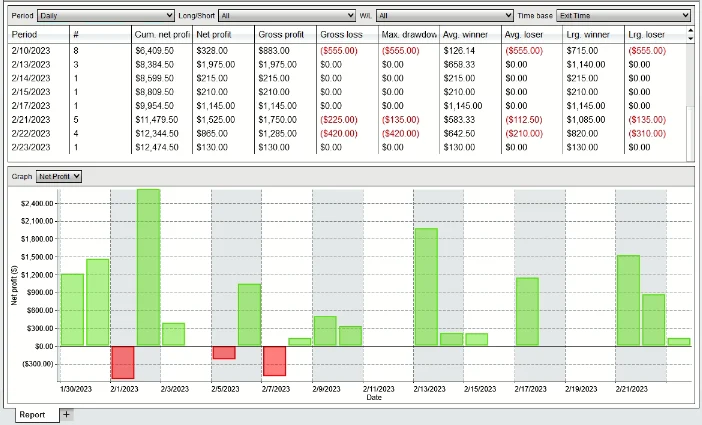
Yes. The strategy can keep a trade log for session review and troubleshooting.
Yes. Remote support is available on request for installation and template-set loading questions.
No. Automated trading carries risk. No strategy, report, or template can promise future results.
Choose access, import the add-on, load the MAS template sets, and test the setup in NinjaTrader 8 before live use.
Articles
Product feedback
I had to leave a review because this auto trader has been profitable for me. I started with the weekly subscription, and after a month I bought it outright. Support has been reliable, the templates are updated every two weeks, and whenever I needed help, I was able to get it pretty quick. Been using it for a while now and honestly no regrets.
Not enough action for my style. It can take long to qualify funded account (3-4 weeks for large ones) I like it to be a bit faster
Too strict some days, but that’s kind of the point. Working well
My workflow:
Load Set 1
Template 01 NQ
Template 02 MNQ
Template 03 ES
Template 04 MES
Template 05 GC
Template 06 MGC
Hit “enable” at 9:20 or so and walk away.
Each market fires one trade max.
No Apex rule violations.
Trailing logic is so clean looking in logs.
Honestly wasn't expecting much, but the templates MAS provides are legit.
I know some ppl love slow and steady, but I’m more aggressive.
Running only the single template meant some days J Strategy didn’t find anything.
The logic works tho, BE and trailing moved correctly,just not my speed.
If you want less noise, maybe you’ll like it more.
The whole “one trade a day” idea is great… but I kept overthinking and missed the moment to turn it ON.
Once I trusted the template and just let it fire, it worked properly.
Probably the most stress-free day I had trading.
Small typo in docs confused me tho but support fixed it.
Finally a strategy that doesn’t spam 14 trades a morning.
I run the supplied templates (Set 2 for NQ) and it literally takes one clean setup per day.
Super chill. No overthinking.
I just turn it on after 9:25 and let it grab the first qualified signal, then it manages BE + trailing exactly like the template says.
strategy itself is solid, but it’s not for everyone. If you’re impatient or want constant signals, you’ll probably find it “boring.” For me, that’s actually a plus as it gives fewer trades but higher quality ones. I like that I can apply it to different markets and not have to manually adjust every little thing on eacj. One dowside is you need to dedicate some time to the initial installation and understandingof how the templates work. Once that’s done though it basically runs itself. I’m happy with it overall.
Interesting system. It’s definitely different from what I was used to. The diversification across ES, NQ, GC and CL makes sense, but you need to be prepared for both wins and losses in the same session. thank you for qualified account, performance and support
Priced reasonably considering updates. J Strategy won’t make you rich overnight, but it will stop you from death-by-a-thousand-trades.
J STRATEGY is perfect if you only want one clean shot per day. 1 signal, clear trade, I’m done.
just started J-strategy 2 weeks ago, and it is brilliant, i had $250K Prop and it made over $25000, it is unbelievable, and not only qualified the account i am more tan half way in to money now. the sale was very kind and i could get the good discount and got the Lifetime licence, i highly recommend it.
Just started-made a little on ES, but I’m still lost with the config. Latest update’s dope-turned a flat week into profit. Still gotta babysit it sometimes, but I’m liking this vibe.
Eh, it’s okay. Made some bucks on MNQ, but the setup’s a total mess-half the time I’m guessing what’s what. Support’s cool, but I expected more auto-magic for the price. Might stick with it, might not.
All ok, thanks. I’m optimizin for my own markets myself.
An intresting trading strategy! It’s my first time seeing this kind of approach to automated trading systems (in this case, updating templates every two weeks to adjust the strategy to market conditions). I used the auto-trader on a cash account. There were some small drawdowns, but nothing over-natural. One trade covered everything and even made a profit.
For now, I’m trying to withdraw all the profits I’ve earned and keep the balance at the same level it was when I started, so I don’t lose the money I’ve made. Everything works exelent! Thank you.
Large account auto-trader. Have failed few funded accounts (small ones from one big funding company). On larger one worked better actually. The most profitable tempalte for me was NQ, hope this infomration helps someone
There are times when it loses. It can be 1-2-3 days of losses, but it becomes positive at the end of the month somehow. that's what really important. I had to set a hard limit for daily loss to work with funded accounts. And it worked. Qualified few apex accounts now it money zone
My only issue is the occasional lag when executing trades during high volatility periods. Other than that - looks promising
Wth pre-made template sets, guided setup, trade logs, updates, support, and more.