MANAGED TRADING+ FREE INDICATORS+ TRADE COPYING+ AUTOMATED TRADING+ ENTRY SIGNAL INDICATORS+ TRADE INDICATORS+ QUALITY OF LIFE ADD-ONS+ NINJATRADER SOLUTIONS+ MANAGED TRADING+ FREE INDICATORS+ TRADE COPYING+ AUTOMATED TRADING+ ENTRY SIGNAL INDICATORS+ TRADE INDICATORS+ QUALITY OF LIFE ADD-ONS+ NINJATRADER SOLUTIONS+
Free Indicators Pack

NinjaTrader 8 automated strategy

J Strategy Auto-Trader

J Strategy for NinjaTrader 8 with MAS pre-made template sets, guided setup, trade logs, updates, support, and remote help on request.

Choose access See details

Templates included

Remote support on request

Bi-weekly updates

Strategy

J Strategy

(71 customer reviews)

From: $99 / week

J Strategy is the MAS strategy for traders who want a structured session routine, template-set testing, logs, and controlled review.

Read More

Built for NinjaTrader 8 Pre-made template sets included Set-based testing workflow Trade log for session review
01

A session-open strategy package

J Strategy is the MAS strategy for traders who want a structured session routine, template-set testing, logs, and controlled review.

What it is about

Session structure before signals

J Strategy is built around the start of the active session. It gives users a session-based automation package with a clean testing routine, without asking them to rebuild the setup from scratch.

Opening-session style workflow One-trade-per-template review is easier to track Trade logs help with testing and support questions
Session startThe package is organized around the active session rather than pure momentum or reversal areas.
Reference levelsTemplate settings give the strategy its starting framework inside NinjaTrader 8.
Controlled testingThe set-based workflow keeps each template easier to compare after the session.
Trade logRecorded behavior gives users and support a better review trail.
02

How J Strategy differs from the other strategies

All three strategies include template sets. J Strategy is the one that feels most structured around the session and review routine.

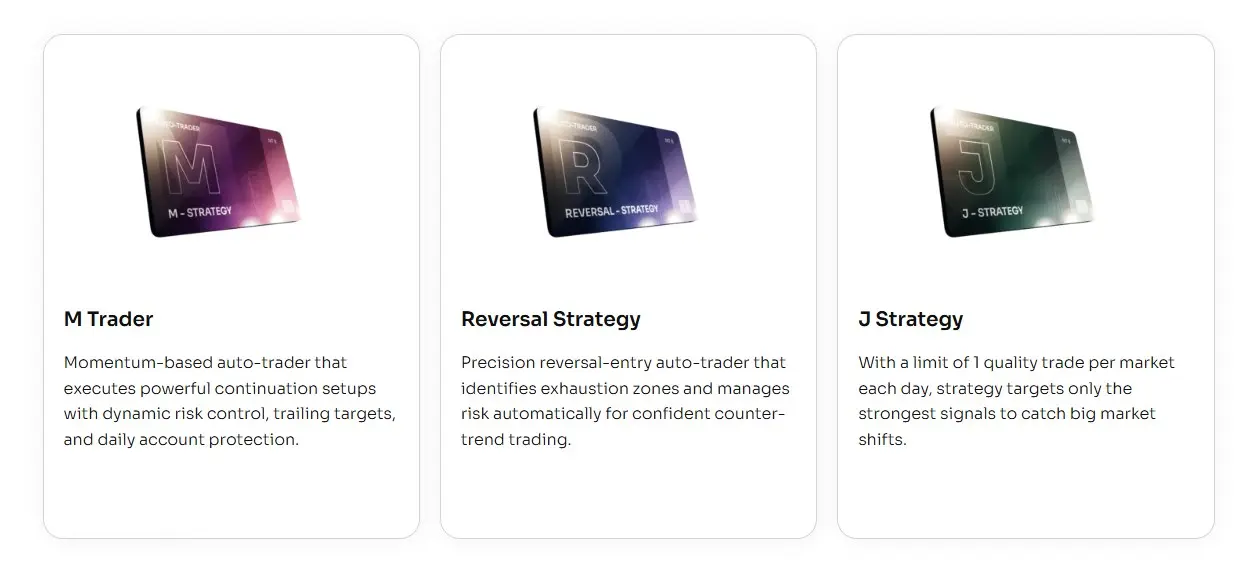
M Trader

Momentum package

More focused on momentum-style movement, active management, reports, and update notes.

J Strategy

Session structure

Best fit when you want a session-based strategy, organized set testing, and trade logs for review.

Reversal Strategy

Reversal areas

More focused on reversal-style setups, confirmation, stale setup control, and bi-weekly set updates.

03

Start with J Strategy template sets

Import the add-on, load a MAS template set, and test it inside NinjaTrader 8 before going live.

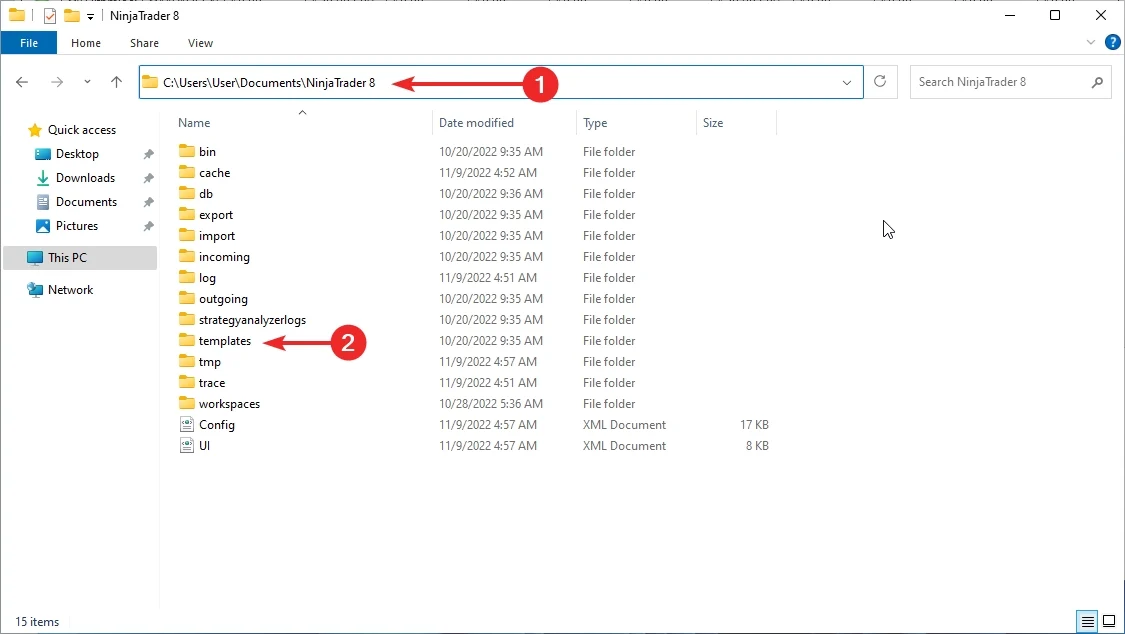
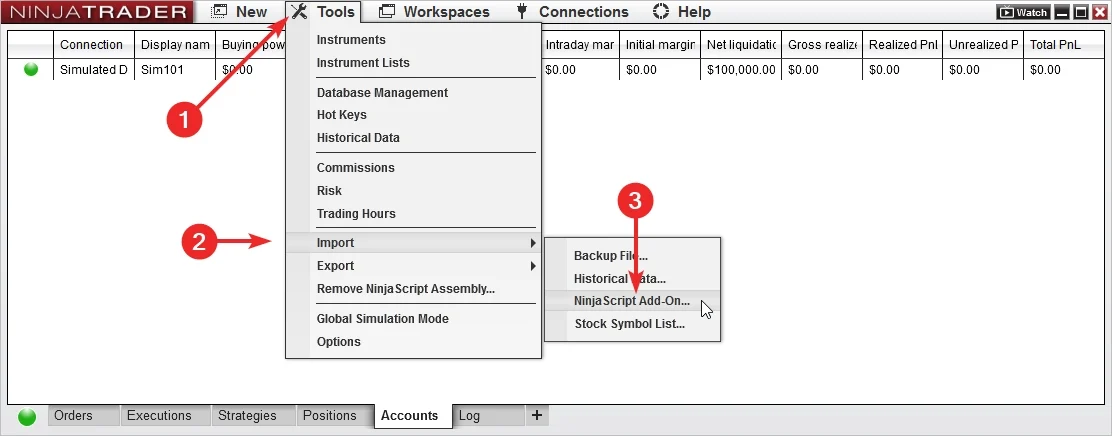
Import the add-on

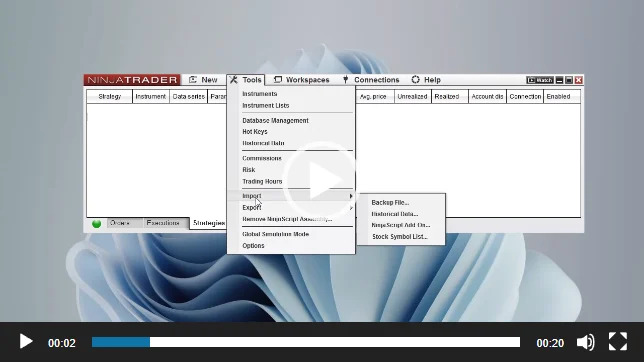
Add J Strategy to NinjaTrader 8, confirm it appears in the platform, and keep the first session focused on installation.

Load a ready set

Use a MAS pre-made template set as the starting point. Test sets on separate accounts before choosing what to run live.

04

Import, load, test, review

The shared strategy routine is simple: import the files, load a template set, test it, and review the output.

Workflow animation

Template set workflow

Use the same order each time. It keeps set testing cleaner and gives support a better record to review.

1
Import

Install the add-on and template package in NinjaTrader 8.

2
Load set

Select a MAS pre-made template set to test.

3
Test account

Run the set in a test account or test environment.

4
Review

Check behavior and logs before changing sets.

05

What the template sets give you

Template sets give J Strategy a consistent starting point while the strategy handles automation inside NinjaTrader 8.

Ready setup values

  • Template sets

    Start from MAS maintained sets instead of building the setup yourself.

  • Cleaner comparison

    Run each set on its own test account so notes and results stay readable.

Automated execution

  • Platform based

    The strategy runs inside NinjaTrader 8 after the add-on and template set are loaded.

  • Daily template review

    J Strategy is designed around one trade per template per day, making each template easier to review.

Logs and updates

  • Trade log

    Use recorded session behavior for review and support questions.

  • Product updates

    Keep the add-on and template package current during active access.

01

Pre-made template sets are included with access.

02

Set testing works best on separate test accounts.

03

Support and recent updates are included during active access.

06

Test each template set first

Use a test account or test environment before live use. Test sets separately, then choose what belongs on the main account.

Test one set per account

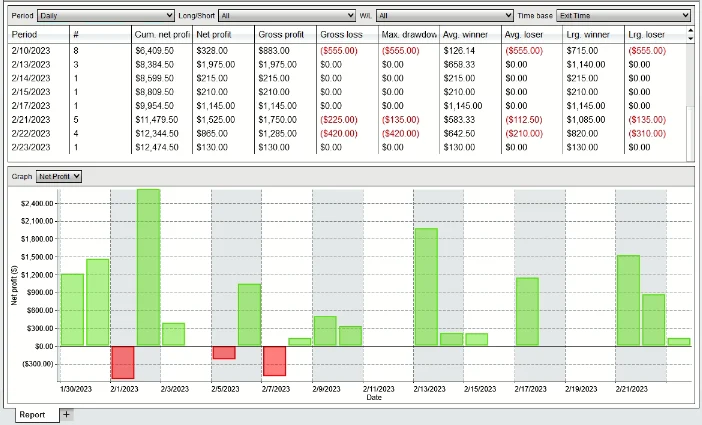
Load a set, let it run long enough to understand behavior, then review the log before changing anything.

Import the latest add-on and template package. Load a MAS template set in NinjaTrader 8. Run the set in a test account or test environment. Review the trade log before moving templates or sets to the main account. Remember that past examples do not guarantee future results.
07

Guided setup, set first

Use the setup guide to install the add-on, then start testing from the included template sets.

Install

Add it to NinjaTrader 8

Import the strategy, open the setup guide, and confirm the add-on is available in the right NinjaTrader workspace.

Load

Choose a MAS set

Load a pre-made template set from the package before you begin testing.

Review

Read the session output

Use the log and order history to understand what happened before changing sets or extending access.

08

Keep the same set routine

A repeatable import, load, test, and review routine makes J Strategy sets easier to compare over time.

Daily workflow

Load, test, review

Keep notes on which set you tested, when you tested it, and what the trade log showed.

Open NinjaTrader 8 and confirm the workspace, data, and connection. Load the template set you want to test. Run different sets on separate test accounts when comparing them. Review the log before changing sets.
09

Less setup work

J Strategy gives you a maintained strategy package, template sets, updates, and support resources.

Sets do the setup work

Start from MAS pre-made template sets instead of spending the first session rebuilding the setup.

  • Faster start

    Import, load a set, and begin testing inside NinjaTrader 8.

  • Cleaner notes

    Track which set you tested instead of changing many variables at once.

Useful for repeat testing

A set-based routine is easier to compare than a session that changes from one test to the next.

  • Keep the same process

    Use the same import, load, test, and review steps for each set.

  • Clearer support

    Recorded behavior makes installation and template-set questions easier to diagnose.

10

Templates, updates, and support

Access includes MAS pre-made template sets, setup resources, recent product updates, and remote support on request.

Templates

Pre-made template sets

Use the included sets as the starting point for organized testing.

Updates

Recent updates

Access includes recent product updates during the license term shown in the pricing plan.

Help

Remote support on request

When installation or template-set loading needs a second look, remote support is available on request.

11

Choose your access

Start with the common plans. Open the full list if you want the quarterly or six-month options.

Included with access

Strategy access, pre-made template sets, updates, and support

Choose a license term, import the add-on, load a set, and test it before live use.

Weekly access

Weekly Plan

$99 / week
  • For first checks

    Use when you want a short license window before choosing a longer term.

  • Includes

    Strategy access, pre-made template sets, updates, support, and remote support on request.

Lifetime access

Lifetime Plan

$3,490 / once
  • No recurring license

    Use when you want long-term access without subscription renewals.

  • Includes

    Strategy access, pre-made template sets, updates, support, and remote support on request.

12

Questions before checkout

Short answers about template sets, testing, support, and access.

What platform is it for?

J Strategy is built for NinjaTrader 8.

Is J Strategy an automated strategy?

Yes. It can place and manage trades inside NinjaTrader 8 after the add-on and template set are loaded.

Are template sets included?

Yes. J Strategy includes MAS pre-made template sets for NinjaTrader 8.

Do I need to build templates myself?

No. Start with the included sets and test them in your own environment.

Can a set include several templates?

Yes. J Strategy sets can include several templates running on the same account.

How are J Strategy sets tested?

Load a set to a test account or test environment, review the trade log, then choose what belongs on the main account.

How often can a template trade?

J Strategy is designed around one trade per template per day.

Does it keep trade records?

Yes. The strategy can keep a trade log for session review and troubleshooting.

Can I get setup help?

Yes. Remote support is available on request for installation and template-set loading questions.

Does it guarantee profit?

No. Automated trading carries risk. No strategy, report, or template can promise future results.

Start with the J Strategy template sets

Choose access, import the add-on, load the MAS template sets, and test the setup in NinjaTrader 8 before live use.

Articles

How to Test and Use Templates for Automated Trading (NinjaTrader 8)

Learn how to effectively test and use templates for automated trading using NinjaTrader 8. Evaluate performance and use templates wisely. Free strategies available.

J Strategy for NinjaTrader 8 — Complete Setup, Testing & Troubleshooting Guide

Learn how to install, configure, test, and troubleshoot the J Strategy for NinjaTrader 8. Step-by-step guide for reliable automated trading.

NinjaTrader 8 Automated Strategy Not Working? The Definitive Fix Guide

Is your NinjaTrader 8 strategy not placing trades or won’t enable? Follow this checklist to fix data series, template, session, and license issues.

How to Add a Strategy in NinjaTrader 8 (Control Center & Chart Methods)

Learn two methods to add and enable strategies in NinjaTrader 8 — via Control Center and chart. Step-by-step with screenshots and troubleshooting.

How to Manually Import Strategy Templates Into NinjaTrader 8?

Step-by-step instructions to manually import strategy templates into NinjaTrader 8. Includes best practices, file format tips, and troubleshooting help.

How to Install an Automated Trading Strategy in NinjaTrader 8

This step-by-step tutorial walks you through installing an automated strategy in NinjaTrader 8. Whether you’re importing your first file or troubleshooting, you’ll find practical tips for a smooth setup.

Product feedback

Reviews

4.6 71 reviews
  1. Paul Henderson Verified owner
    3/5

    The strategy itself is undeniably intriguing, showcasing profitability without a doubt.

    However, it comes with one crucial caveat: a constant need to closely monitor and adjust the templates being used. It's far from a 'set and forget' approach, demanding ongoing attention and adaptability

  2. Chris Watts Verified owner
    4/5

    I've found that the template set called "12-JUN" continues to work exceptionally well. It has consistently produced the desired results for me. On the other hand, I must confess that my luck hasn't been too favorable when using the latest templates. They just haven't been as effective as the tried and true "12-JUN" set. Despite this, I remain hopeful and open to exploring other options in the future.

  3. Mr Steve Reynolds Verified owner
    5/5

    I express my gratitude for the 1 month free period - this is rare. I was satisfied with the strategy, so I bought a full license, thank you! I look forward to further development of this product.
    Respectfully,
    Steve

  4. Christine Akers Verified owner
    5/5

    ...Using multiple markets at the same time is awesome! It works great, although the strategy is quite simple

  5. Mr Badulescu Verified owner
    4/5

    strategy requires a time-consuming initial installation. It takes a certain amount of time to load all the templates. Thankfully, all templates are ready and there is no need to optimize the strategy yourself

  6. Elaine Verified owner
    5/5

    This strategy is like a trusty tool in your trading toolbox. It's simple, but it gets the job done, making it user-friendly and effective!

  7. Peter Verified owner
    5/5

    Proftibale strategy is all I wanted. Works great.

  8. Richard Verified owner
    4/5

    One of my friends introduced me to this website since there is this 'Free Indicators'. Now trying the strategy.

  9. C Birnie Verified owner
    5/5

    Top support
    Very nice interaction and understanding of the customers. Fast problem-solving and user-friendly process.
    Pleasantly surprised of how fast the process went and the problem got solved!

  10. breda Verified owner
    4/5

    interesting strategy, as it uses multiple markets at the same time. In practice it really narrows down the profit curve and stabilizes the PnL.
    need to take this approach to my own system. tY

  11. D-Lou Verified owner
    4/5

    Nice one. but you need more capital for this. I was able to make it work for my small account with micros. Thankfully it is universal

  12. Roy Hayward Verified owner
    5/5

    Excellent quality strtategy with full description on line. Good value.Kept fully up to date with updates.Thank you.

J Strategy Auto-Trader

Quick access

Wth pre-made template sets, guided setup, trade logs, updates, support, and more.

$99 / week
Get Weekly License