Target & Stop Summary
Track profit and risk for stop and target orders in ticks, points, or currency.
NinjaTrader 8 chart indicator
Advanced Trader
NT8 compatible
14-day trial
Full trade control
Advanced Trader
From: $0 for 2 weeks
A chart-level risk dashboard for open NinjaTrader positions, working stop orders, target orders, and saved R/R ruler levels.
Advanced Trader answers the question open-position traders keep checking: what is my real risk right now?
When you scale, move a stop, or change a target, the trade can stop matching the plan you had in your head.
The indicator reads the selected Chart Trader account and turns active orders into practical risk and reward labels.
It watches the active account context and draws the useful parts of the trade where the trader is already looking.
Advanced Trader uses the selected Chart Trader account for the chart instrument.
It checks the active position, average entry, working stop orders, target orders, and order quantities by price.
The chart shows order boxes, ruler levels, and a position summary with risk, reward, size, and R/R.
The useful work happens after the position is open, when the trader needs a clean read of exposure.
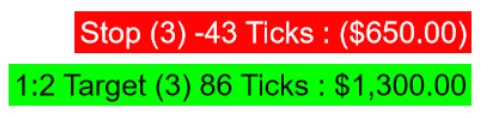
Order info boxes can show order name, contract count, distance from entry, tick or point distance, currency value, and target R/R.
The summary box shows total risk, potential reward, position size, average entry price, and the overall R/R ratio.
Use fractional and full R levels, including custom values across Level #1 through Level #6.
Click the SAVE R/R toolbar button or use a function-key hotkey to lock the current stop reference for the ruler.
Change fonts, colors, opacity, line widths, line lengths, text visibility, and summary box placement.
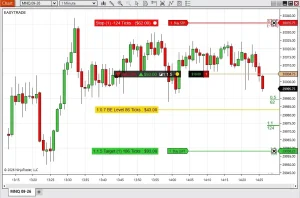
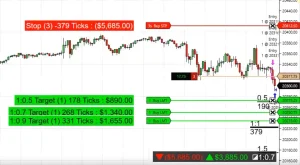
The original chart examples show the order info boxes, R/R ruler, and summary overlays in real NinjaTrader chart context.
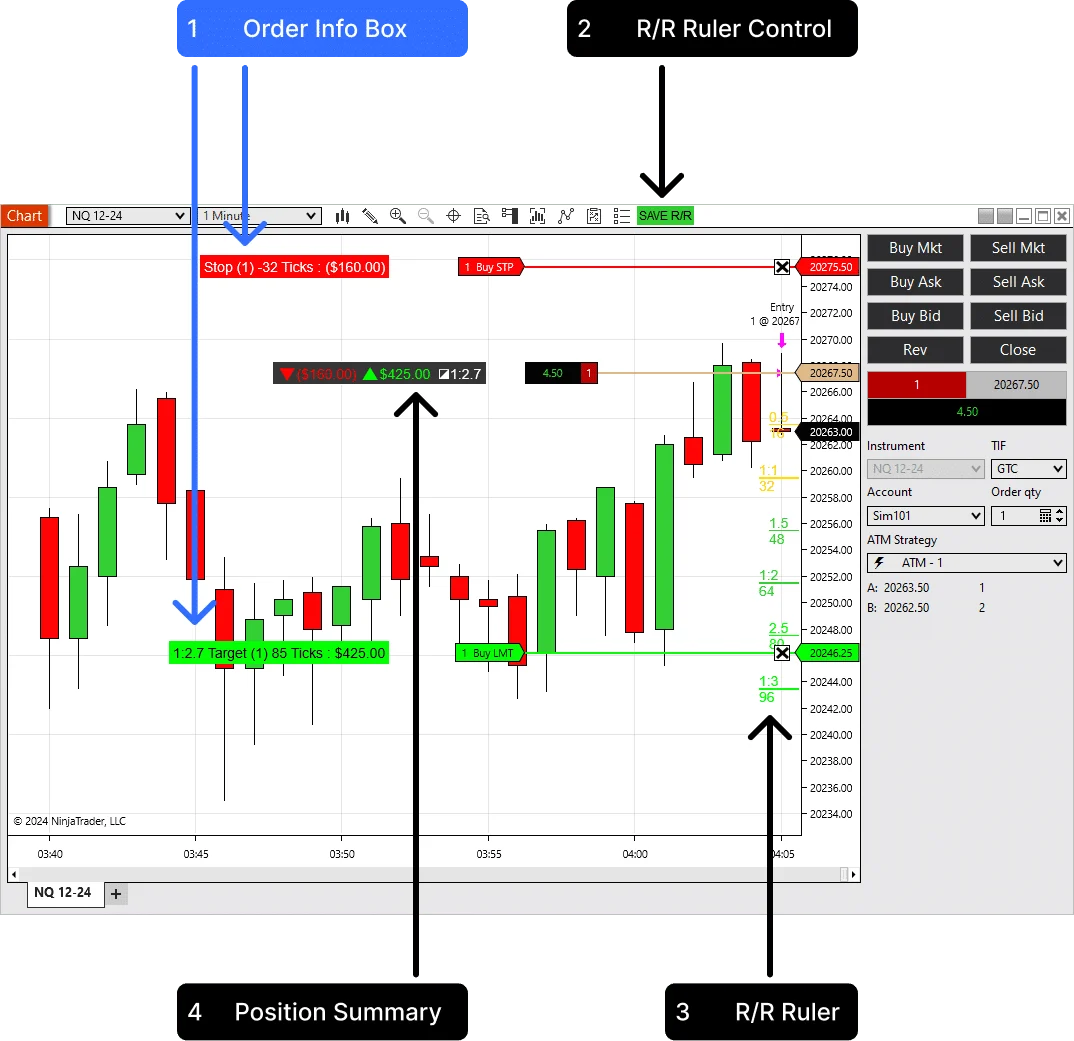
Show the stop and target order context with ticks, points, currency, contract count, and optional R/R labels.
Save the current stop reference so the R/R levels remain visible while the chart updates or the trade is being reviewed.
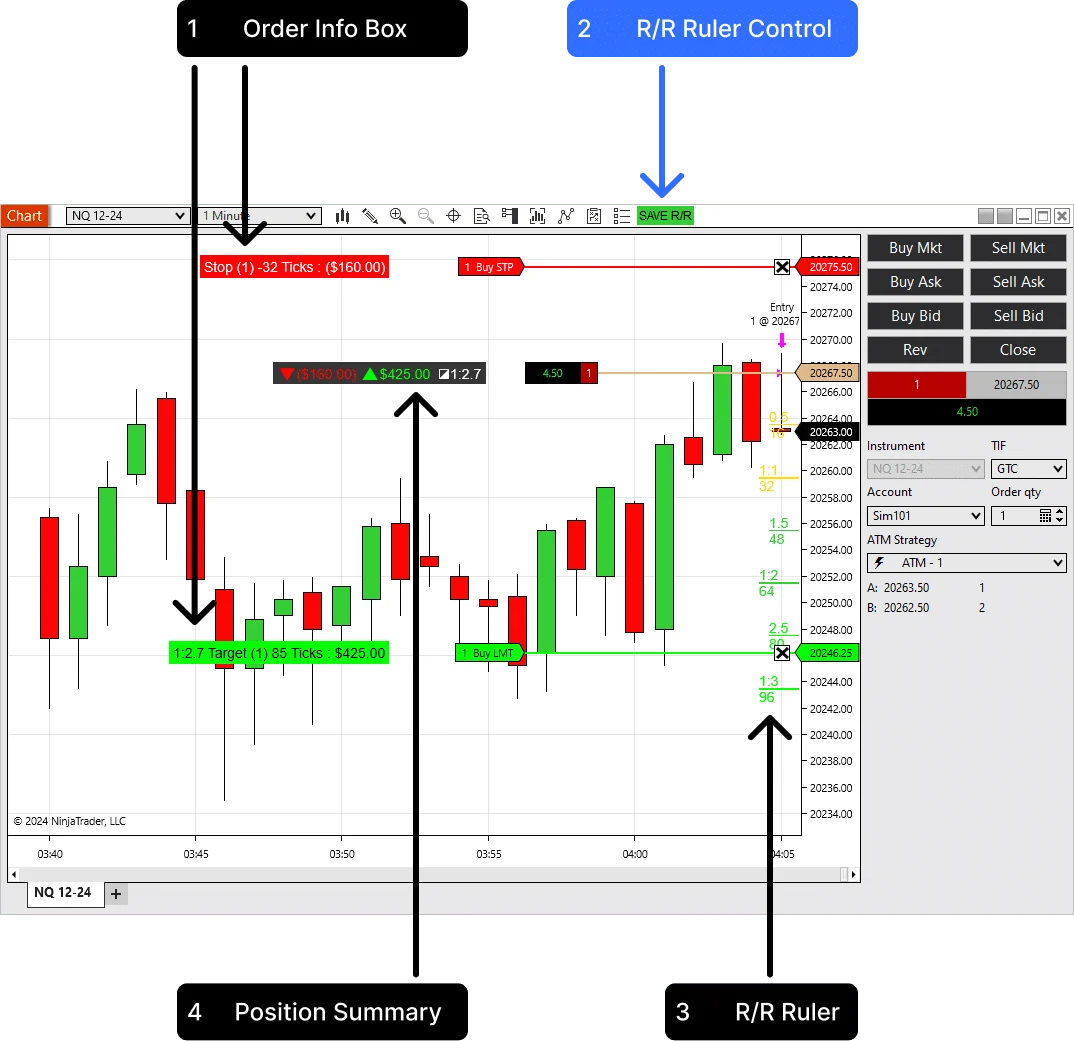
Small labels, but useful ones: risk, target, full position context, and the R levels tied to the current stop.
Track profit and risk for stop and target orders in ticks, points, or currency.

See the whole trade: potential loss, target value, position size, and risk-to-reward ratio.
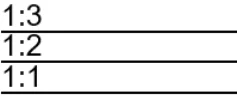
Calculate profit levels from the stop order, save the stop reference, and trade without extra drawing tools.
Add it to the chart, select the Chart Trader account, then let the indicator track the active position.
Advanced Trader does not submit trades. It helps you understand the trade already running on the selected account.
Load Advanced Trader on a NinjaTrader 8 chart with Chart Trader enabled.
Choose the account you want the chart to read from the Chart Trader account selector.
Place or adjust stops and targets while the indicator recalculates risk and reward values.
Use SAVE R/R or the configured hotkey when you want to lock a stop reference for the ruler.
The summary is useful when there are multiple orders or when the position has already been adjusted.
Place the summary top-left, top-right, bottom-left, bottom-right, or near the entry line. Choose the outline, opacity, and colors so it stays readable without covering price action.
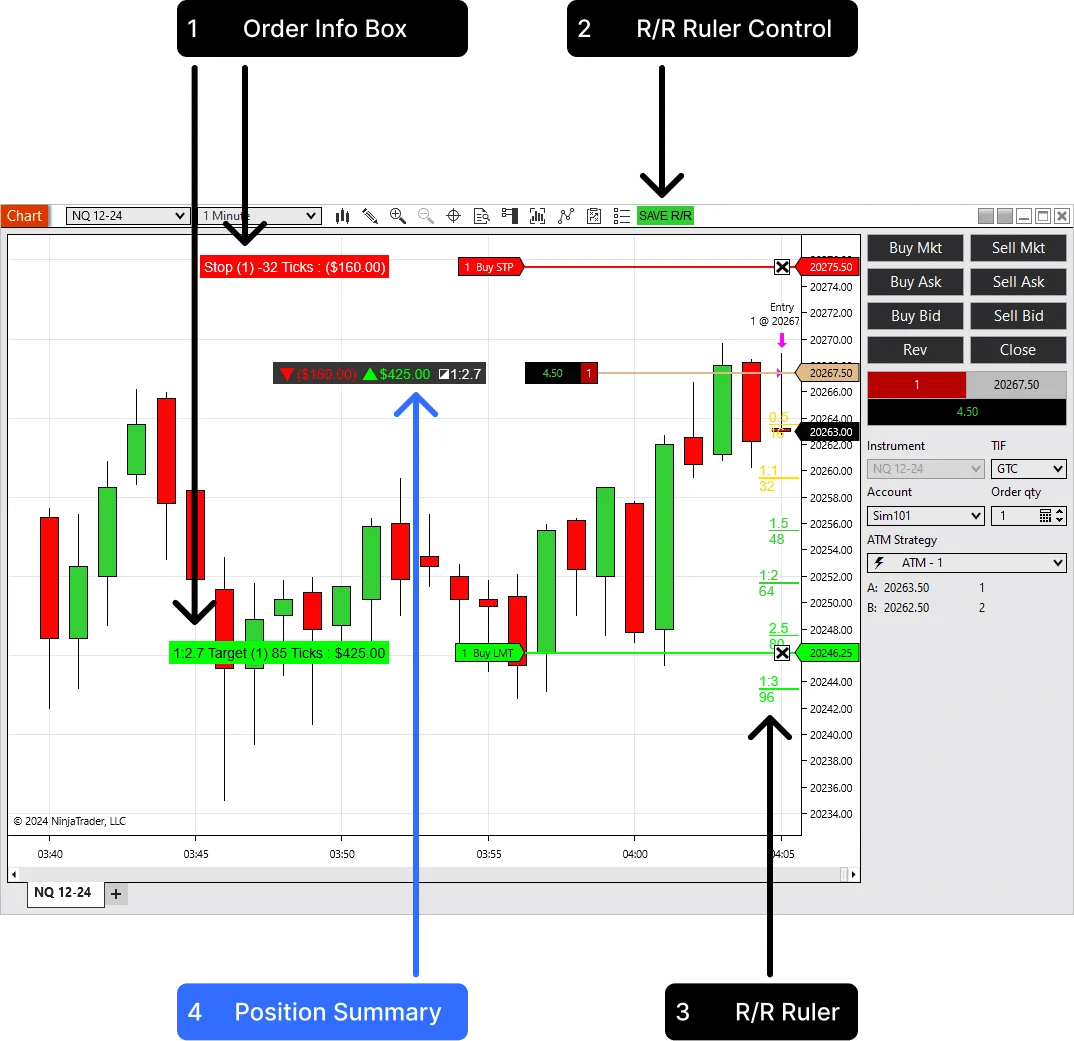
Risk and reward are calculated from the active position and working orders.
Display values can use ticks, currency, or both.
The summary can move away from price action or sit near entry.
The indicator adds a chart toolbar control and supports function-key hotkeys for faster sessions.
The SAVE R/R button appears on the active chart tab. Use it when you want to save the current stop reference and keep the planned R levels visible.
Use F2, F3, F4, or F6 through F12. Set the behavior to press once to save, or hold the key to reset the saved view.
The videos show the indicator inside NinjaTrader, including live risk labels and dynamic R/R levels.
Use this view while the trade is open, so the stop side and target side are readable without manual calculations.
The ruler uses the entry-to-stop distance to project fractional and full reward levels directly on the price scale.
Advanced Trader is useful because it separates order-level details from the position-level read.
Built for discretionary traders who care about the actual exposure of the open position.
Keep current stop risk and target reward visible while managing fast intraday trades.
See the dollar risk on the chart before a small adjustment turns into a larger-than-planned loss.
Use the position summary when average entry, size, stops, and targets are no longer simple mental math.
Use the R levels to think through whether a target structure still matches the way the setup moves.
Advanced Trader is for live risk clarity. Trade Analyzer PRO is useful when you want to study target behavior over a batch.
If you are refining ATM targets, use Advanced Trader during the session and Trade Analyzer PRO when you want CSV-based reward multiple analytics afterward.
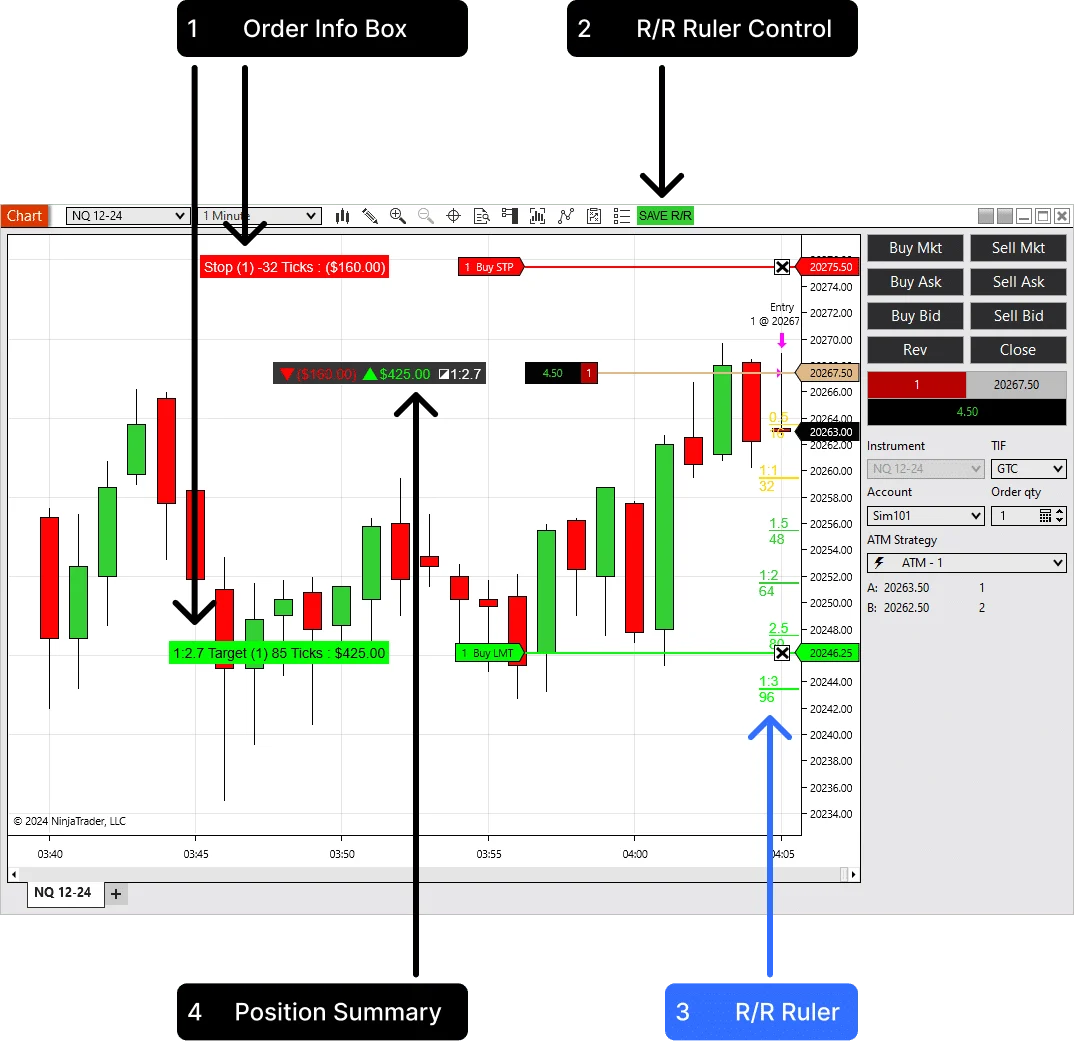
These controls change how the indicator fits into the trading screen.
Info Box DisplayShow ticks, currency, or both on stop and target order boxes.
Summary Display PositionMove the summary to a chart corner or attach it near the entry line.
Stop Save MethodUse the chart button or a function-key hotkey to save the stop reference.
Hotkey BehaviourChoose press-to-save or hold-to-reset behavior for faster live use.
Show Fractional LevelsShow or hide half-step and custom fractional reward levels.
Level #1 - #6Define the R levels that match your trading plan instead of using one fixed ruler.
The indicator uses live chart account context and custom rendering. The trader does not need to type in position size or stop price manually.
Advanced Trader reads the active Chart Trader account, current position, average entry price, and working stop and target orders for the chart instrument.
It converts entry-to-order distance into ticks or points and can calculate currency values using instrument point value and position size.
It is practical because it uses the real open trade, not a manual drawing detached from the account.
The display follows the Chart Trader account and the chart instrument, which keeps the risk view tied to the active trading context.
The position summary is built for total risk and reward, which is more useful than reading each line in isolation.
The toolbar button and hotkeys make the stop reference easy to save without leaving the chart.
Start with the trial, then choose annual or lifetime access if the live risk view fits your NinjaTrader workflow.
Test Advanced Trader with your own NinjaTrader charts before choosing a plan.
Use the indicator for one year with updates and support.
Order info boxes, position summary, R/R ruler levels, hotkey controls, and customizable styling.
Pay once and keep Advanced Trader in your trading setup.
Lifetime license, regular updates, support, feature request options, and unlimited machine ID changes.
Start Free Trial - No Credit Card Required. The trial is available once per user.
Short answers for the buying questions that usually come up first.
Yes. It is built as a NinjaTrader 8 chart indicator.
No. It reads the selected Chart Trader account and displays risk, reward, and order information on the chart.
Yes. The display can show ticks, currency, or both, based on the indicator settings.
Yes. The summary can sit in a chart corner or near the entry line, with adjustable colors, outline, and opacity.
Yes. F4 is the default, and the settings include F2, F3, F4, and F6 through F12.
Yes. The paid license includes unlimited machine ID changes for transfers.
Start with the 14-day trial, then choose annual or lifetime access if Advanced Trader fits your chart workflow.
Articles
Product feedback
exceeded my expectations!! THANKYOU. Essential tool for serious day traders.
Indicator is a decent addition to my trading arsenal. The real-time profit calculations are handy, but I found the customization process a bit clunky. The risk/reward ruler is a standout feature. Overall, with some tweaks, it has the potential to be even more valuable.
been using the Advanced Trader Indicator for a while now, and it's transformed the way I trade. The automatic ruler function and risk/reward calculations save me so much time and mental effort. The ability to customize it to my liking is fantastic
I recommend including the EUR currency in the add-on. Currently, I'm giving it a three-star
v5.1 is truly impressive . It's taken a significant leap forward from its previous iteration. Kudos to the team for the excellent work!
Having an indicator that's gives such valuable trade information is truly a fantastic addition to any trading toolkit. It not only offers quick insights but also enhances the overall trading experience.
Awesome update!!!!!!! This tool become even better!
Great thing
Too bad it requires an active ATM strategy to work. I work without a defined stop loss level and target, which is uncomfortable. But now I have to turn on ATM strategy to see all important levels.
Easy installation. Indicator is easy to work with - information appears immediately after entering the market. Quite usefullt to see your exact trade expectations.
I'm struggling to get it to work. It's just not loading onto the chart. Could you please reach out for assistance? Thank you.
highly useful add-on for keeping a trading journal. Allows you to better analyze trades in real time
Excellent enhancement of Ninjatrader
Neat add-on. Was looking for something like this for a while!
Slow licence issuing!!!
Pros:
- User-Friendly: The Advanced Trader indicator's interface is effortlessly navigable, catering to traders of all levels.
- Risk-Reward Ruler: Its inclusion significantly enhances trading precision.
- Support Excellence: Swift and reliable customer support adds value.
- Affordable Advantage: It offers powerful features without straining budgets.
Cons:
- Limited Display: Only supports tick and currency, lacking "point" representation.
I'm really loving this indicator – it's been such a valuable addition to my trading toolbox. What truly stands out is how it prioritizes risk-reward analysis. Being able to assess risks and rewards in real-time has really improved my trading strategy and boosted my confidence. Totally loving the risk-reward aspect!
Well-designed add-on, really coming in handy during live trading.
Easy install, real-time profitz good. Risk/reward ruler helps, but need more customizin'
It should be set by default in ninja... But, at least it is cheap...
The Advance is a trading revolution in Ninja! Wow.
Highly recommend, simply amazing. So simple to use.
Thank you
Read live risk, reward, stops, targets, and R/R levels directly on the chart.