Reversal areas with a time limit
Reversal Strategy is built around pivot-style reversal areas and confirmation. The important user-facing point is the discipline: setups are validated, managed, and not left active forever.
NinjaTrader 8 automated strategy
Reversal Strategy
Templates included
Remote support on request
Bi-weekly updates
Reversal Strategy
From: $70 / week
Reversal Strategy is the MAS strategy for traders who want automation around reversal-style trades, validation, stale setup control, and more.
Reversal Strategy is the MAS strategy for traders who want automation around reversal-style areas, validation, stale setup control, and set updates.
Reversal Strategy is built around pivot-style reversal areas and confirmation. The important user-facing point is the discipline: setups are validated, managed, and not left active forever.
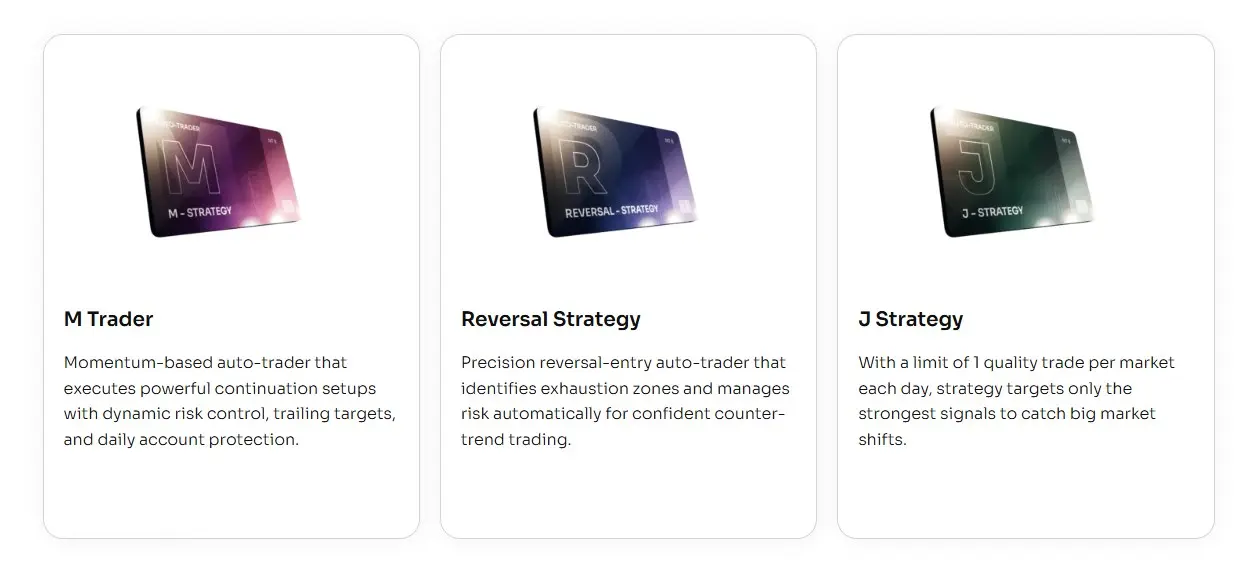
All three strategies use MAS template sets. Reversal Strategy is the one built around reversal areas and whether a setup is still fresh enough to use.
More focused on momentum-style movement, active management, reports, and update notes.
More focused on the opening-session workflow, staged testing, and one-trade-per-template review.
Best fit when you want a reversal-focused package with setup validation, stale setup control, and set updates.
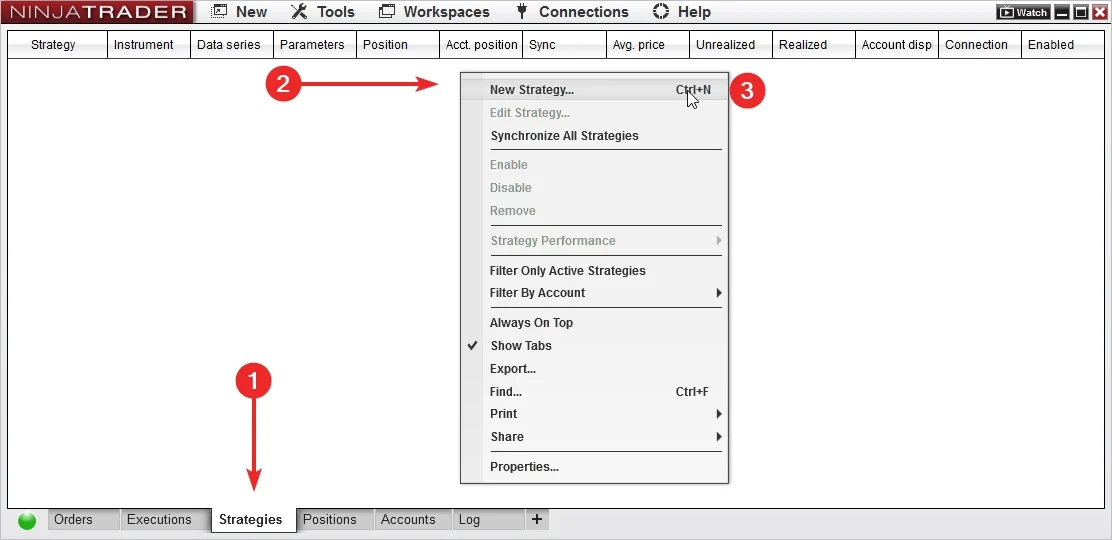
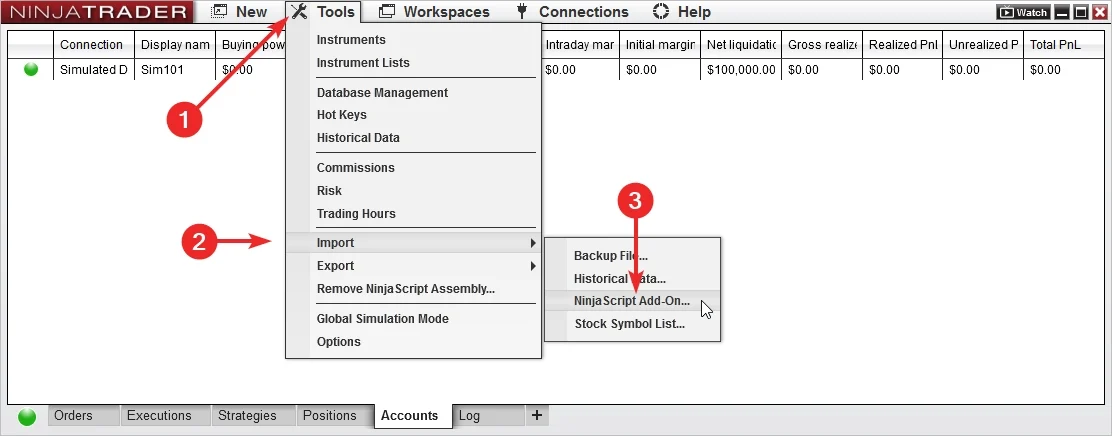
Start by importing the add-on and loading a MAS template set in NinjaTrader 8.
Add Reversal Strategy to NinjaTrader 8, confirm it appears in the platform, and keep the first session focused on installation.
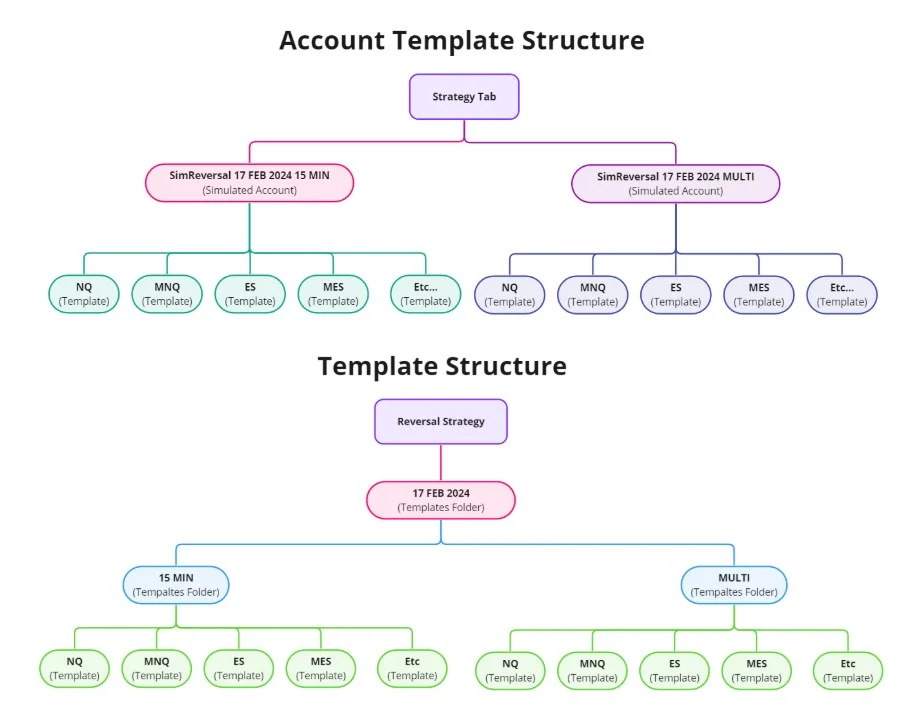
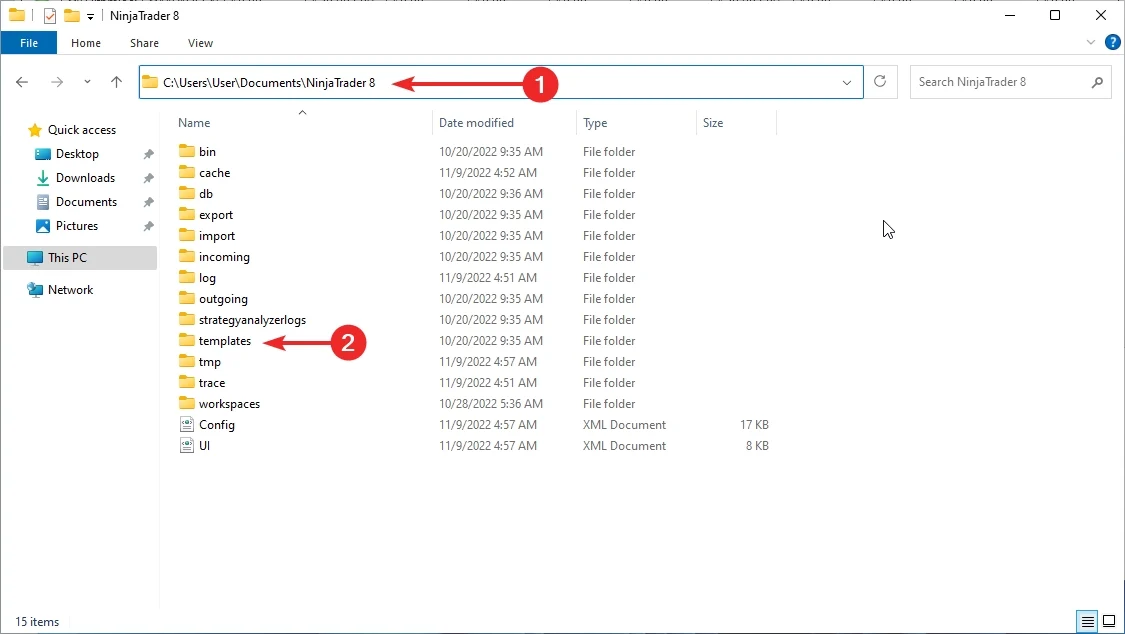
Use MAS pre-made template sets as the starting point. Test sets on separate accounts before choosing what to run live.
Import the latest files, load a template set, test it, then review the output.
Use the same order each time so set testing stays clean and support questions are easier to answer.
Install the add-on and the latest MAS template set package.
Select a MAS pre-made template set in NinjaTrader 8.
Run the set in a test account or test environment.
Check logs and behavior before changing sets.
Template sets keep the setup consistent while the strategy runs inside NinjaTrader 8.
Start from MAS maintained sets instead of building the setup yourself.
Run each set on its own test account so results and notes stay easy to compare.
The strategy runs inside NinjaTrader 8 after you load the add-on and template set.
Automation handles the execution sequence after the selected set is loaded.
Use recorded session behavior for review and support questions.
MAS refreshes the template sets every two weeks.
Pre-made template sets are included with access.
Template set updates are delivered bi-weekly.
Support and remote help are available on request.
Use a test account or test environment before live use. Test sets separately, then choose what belongs on the main account.
Load a set, let it run long enough to understand behavior, then review the log before changing anything.
Start with a maintained strategy package and included template sets.
Import the strategy, confirm it appears in the platform, and keep the first session focused on a clean install.
Load a pre-made template set from the package before you begin testing.
Use logs and order history to understand what happened before changing sets or extending access.
MAS refreshes template sets bi-weekly, so the routine is import, load, test, and review.
MAS updates template sets every two weeks. Keep notes on which set you tested and when.
Access includes the strategy add-on, template sets, updates, and support resources.
Start from MAS pre-made template sets instead of spending the first session rebuilding the setup.
Import, load a set, and begin testing inside NinjaTrader 8.
Track which set you tested instead of changing many variables at once.
The strategy takes over the repetitive trading sequence after the add-on and template set are loaded.
Use the same import, load, test, and review process for each set.
Recorded behavior makes installation and template-set questions easier to diagnose.
Access includes MAS pre-made template sets, bi-weekly updates, automated strategy support, and remote support on request.
Use the included sets as the starting point for organized testing.
MAS refreshes the template sets every two weeks during active access.
When installation or template-set loading needs a second look, remote support is available on request.
Start with the common plans. Open the full list for quarterly, six-month, or annual access.
Choose a license term, import the add-on, load a set, and test it before live use.
Use for a short test before choosing a longer term.
Strategy access, pre-made template sets, bi-weekly updates, support, and remote support on request.
Use when you want time to test and review template sets.
Strategy access, pre-made template sets, bi-weekly updates, support, and remote support on request.
Use when you want three months of access.
Strategy access, pre-made template sets, bi-weekly updates, support, and remote support on request.
Use when you want fewer renewal decisions.
Strategy access, pre-made template sets, bi-weekly updates, support, and remote support on request.
Use when you want a full year of access.
Strategy access, pre-made template sets, bi-weekly updates, support, and remote support on request.
Use when you want long-term access.
Strategy access, pre-made template sets, bi-weekly updates, support, and remote support on request.
Short answers about template sets, testing, support, and access.
Reversal Strategy is built for NinjaTrader 8.
Yes. It can place and manage trades inside NinjaTrader 8 after the add-on and template set are loaded.
Yes. Reversal Strategy includes MAS pre-made template sets for NinjaTrader 8.
No. Start with the included sets and test them in your own environment.
MAS updates Reversal Strategy template sets bi-weekly.
Yes. Load each set on a test account or test environment, review the log, then choose what belongs on the main account.
Yes. Test the set first, then keep the templates you want to run on the main account.
Yes. Reversal Strategy is a regular automated strategy and can take multiple trades during a day depending on the loaded set and market behavior.
Yes. The strategy can keep a trade log for session review and troubleshooting.
Yes. Remote support is available on request for installation and template-set loading questions.
No. Automated trading carries risk. No strategy, template, report, or example can promise future results.
Choose access, import the add-on, load the MAS template sets, and test the setup in NinjaTrader 8 before live use.
Articles
Product feedback
This trading strategy is rather intriguing, but it demands a substantial amount of time to monitor closely.
Positive:
Fantastic customer service! Great tools and free indicators. Working strategy that trades well
Negative:
Strategy is a bit hard to use. Not well documented in my opinion
it is a great trading strategy as long as you don't have to talk to customer support.
Excellent strategy for any market! But luck of documentation makes it a bit hard to use
Super simple to understand, a great support team to learn from and help always available. These strategy is fantastic for different types of traders, highly recommend!
I never would have found out there was such an auto strategy if it wasn't in your email. Subscribed for a month, let's see what will come out, so far it looks promising
shows good results, thank you. For now for 1 month, I will for sure expand it when I get a profit
Thank you for the invitation to the closed strategy test. Put it to work right away.
For traders who want automation around reversal-style trades, validation, stale setup control, and more.