Have you ever made a significant income in just one week, all without even touching the computer? In my first week using it, I earned significantly more than what I initially invested in it-six times more, in fact. Strategy has not only been incredibly profitable but also a game-changer for my financial strategy. I recommend this trading solution; it's a valuable addition to my arsenal and has brought me great satisfaction.
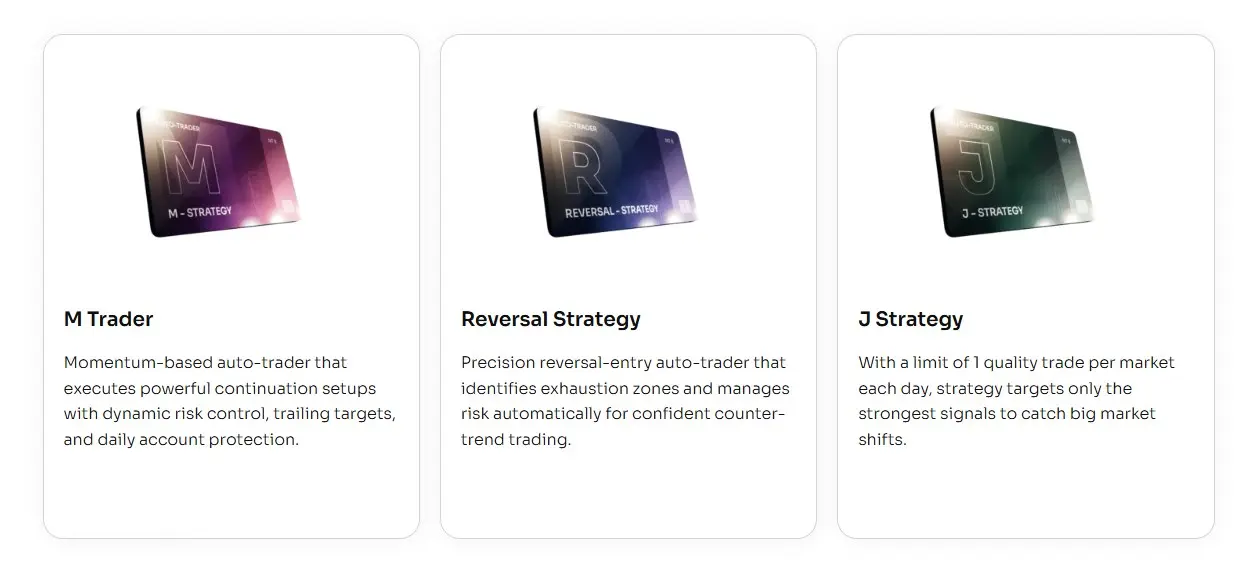
One trade a day, at the session open.
J Strategy is built for low-frequency trading: one trade per template per day, typically at the US session open, aligned with the direction set before the open.
NinjaTrader 8 · One trade per template per day · No trial
Same strategy. Different terms.
- Renews monthly
- Cancel anytime
- Unlimited Machine ID changes
- Support and remote assistance
- Updates
- Renews yearly
- Cancel anytime
- Unlimited Machine ID changes
- Support and remote assistance
- Updates
- One payment
- No renewal
- Unlimited Machine ID changes
- Support and remote assistance
- Updates
- New feature requests
- Renews weekly
- Cancel anytime
- Unlimited Machine ID changes
- Support and remote assistance
- Updates
- Renews quarterly
- Cancel anytime
- Unlimited Machine ID changes
- Support and remote assistance
- Updates
- Renews every six months
- Cancel anytime
- Unlimited Machine ID changes
- Support and remote assistance
- Updates
Prices in USD. No trial. Every plan includes the strategy, pre-made template sets. Just load the template and enable the strategy.
The set carries the rules. You choose the account.
Session rules are already set
The set defines the opening window, entry, stop and target.
One trade per template
The set is designed around one trade per template per day.
Size adapts to the stop
A wider stop means fewer contracts.
Review every closed trade
The CSV log records each closed trade.
Four steps to a running strategy.
Add the strategy
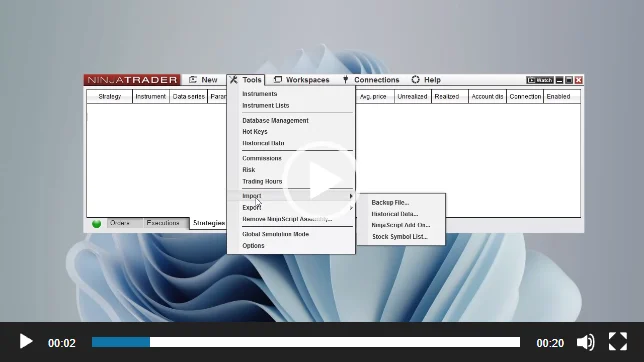
Import it into NinjaTrader 8 and add it to the instrument.
Load a template set
Pick the set for the session and instrument you trade.
Choose the account
Select the account it may trade.
Enable it
Turn it on and watch the first session before scaling.
What the set already fixes.
You load it, then adjust only what your instrument needs.
- Session
- The opening session window
- Entry
- One trade per template per day
- Stop and target
- Set in the template
- Size
- Falls as the stop widens
- Risk caps
- Daily loss and target
- Log
- One CSV line per closed trade
Sets are NinjaTrader chart templates. The strategy does not load them for you.
What traders say after testing.
Product feedback
J Strategy Auto-Trader · customer reviews
-
James Verified owner
-
James Verified owner
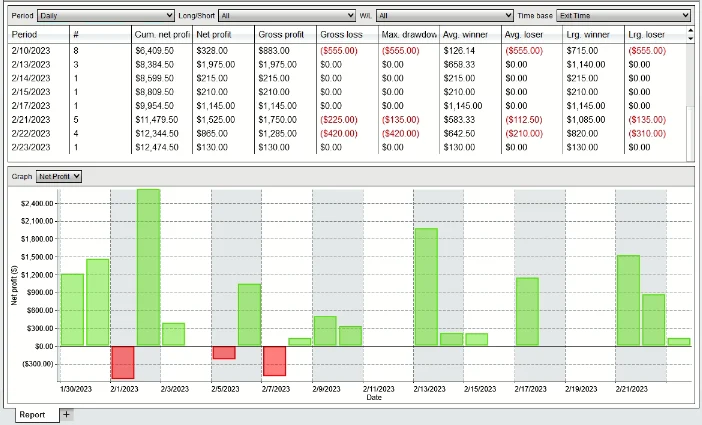
Have you ever made a significant income in just one week, all without even touching the computer? In my first week using it, I earned significantly more than what I initially invested in it—six times more, in fact. Strategy has not only been incredibly profitable but also a game-changer for my financial strategy. I recommend this trading solution; it's a valuable addition to my arsenal and has brought me great satisfaction.
-
Lynne Verified owner
God bless you
-
Sis Sos Moss Verified owner
J Strategy has been pretty good for me overall. Auto itself is solid, helping me make some decent profits. I like how flexible it is, adapting to different market situations like a champ. But, gotta be real with you, I've had some ups and downs with the support team. They usually get back to me when I hit them up, but there've been times when I felt like they didn't fully get what I needed. Their responses sometimes felt a bit too generic, you know? But hey, they've always been nice and professional about it. So, even though support could be better, it's not a total dealbreaker for me. I'd still give J Strategy a solid four stars – it works well, but could definitely step up its support game.
-
Tracey Brassett Verified owner
indicator is highly effective, pinpointing precise entry points and enabling good market entries on price retracements rather than chasing highs. Its accuracy has greatly helps
-
Carlos L Verified owner
So, during the triall period, I decided to put my qualified 25k account to the test with it and let me tell you, it was quite the experience. I had heard some good things about this strategy, but I wanted to see for myself if it could really deliver the results it promised. And boy, did it deliver. They've created a tool That's not only effective but also adaptable to different account sizes and trading styles. Plus, the support team was there every step of the way, answering any questions I had and providing guidance when needed.
(To one who wonders: I have used only micro tempaltes after filtering the "negative" markets.)
Set it up and test it.
Update: Faster & Safer Auto-Trading in NinjaTrader 8
December 2025 update improves MASCapital auto-traders with faster stop handling, safer order protection, and smarter session-close logic. Read guide
How to Test and Use Templates for Automated Trading (NinjaTrader 8)
Learn how to effectively test and use templates for automated trading using NinjaTrader 8. Evaluate performance and use… Read guide
J Strategy for NinjaTrader 8 — Complete Setup, Testing & Troubleshooting Guide
Learn how to install, configure, test, and troubleshoot the J Strategy for NinjaTrader 8. Step-by-step guide for reliable… Read guideNeed a hand with the settings?
Tell us the instrument and session you trade. We will check the set with you.
Before you start it.
Which platform does it run on?
NinjaTrader 8.
How many trades per template?
J Strategy is designed around one trade per template per day.
Where do the stop and target come from?
The template sets them. Load the set that fits your instrument.
How is size set?
From the stop distance. A wider stop means fewer contracts.
When does it stop trading?
The template sets a pre-close halt; the default is 60 minutes.
Does the log work in backtest?
No. It records realtime trades only.
What does it not do?
It does not supply data, a broker account or a profit guarantee.
How many accounts does one licence cover?
One account per running instance. Ask us about licence terms.
Can I cancel my subscription?
Yes. Cancel from My Account → Subscriptions. The plan stops renewing.
Can I move the license to another machine?
Yes. License transfers are included.