Reversal areas with a time limit
Reversal Strategy is built around pivot-style reversal areas and confirmation. The important user-facing point is the discipline: setups are validated, managed, and not left active forever.
NinjaTrader 8 automated strategy
Reversal Strategy
Templates included
Remote support on request
Bi-weekly updates
Reversal Strategy
From: $70 / week
Reversal Strategy is the MAS strategy for traders who want automation around reversal-style trades, validation, stale setup control, and more.
Reversal Strategy is the MAS strategy for traders who want automation around reversal-style areas, validation, stale setup control, and set updates.
Reversal Strategy is built around pivot-style reversal areas and confirmation. The important user-facing point is the discipline: setups are validated, managed, and not left active forever.
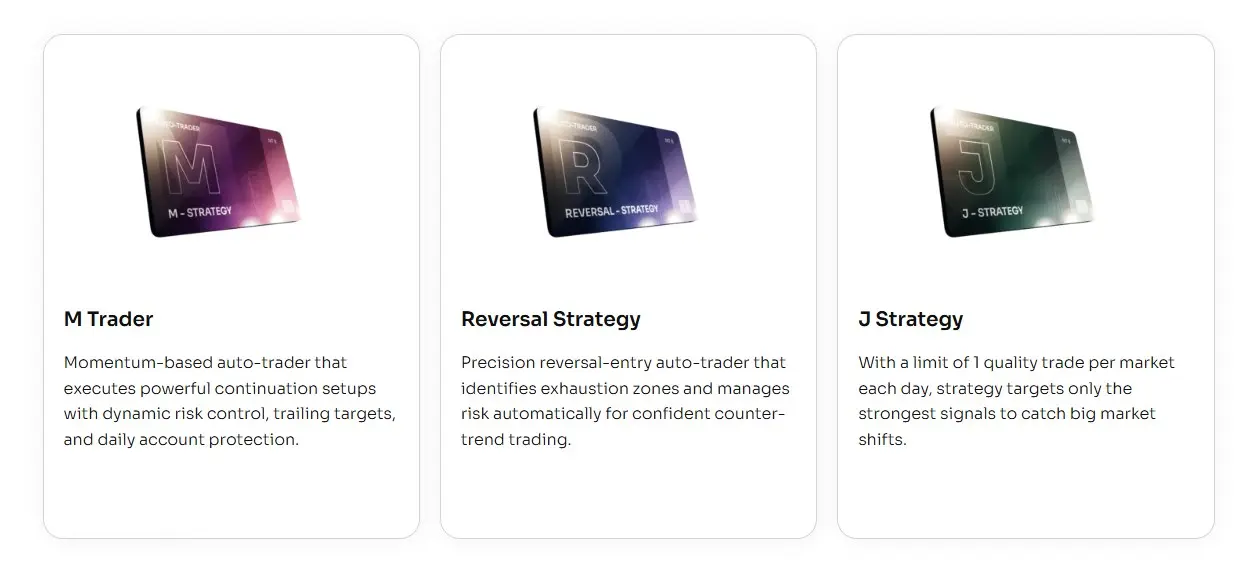
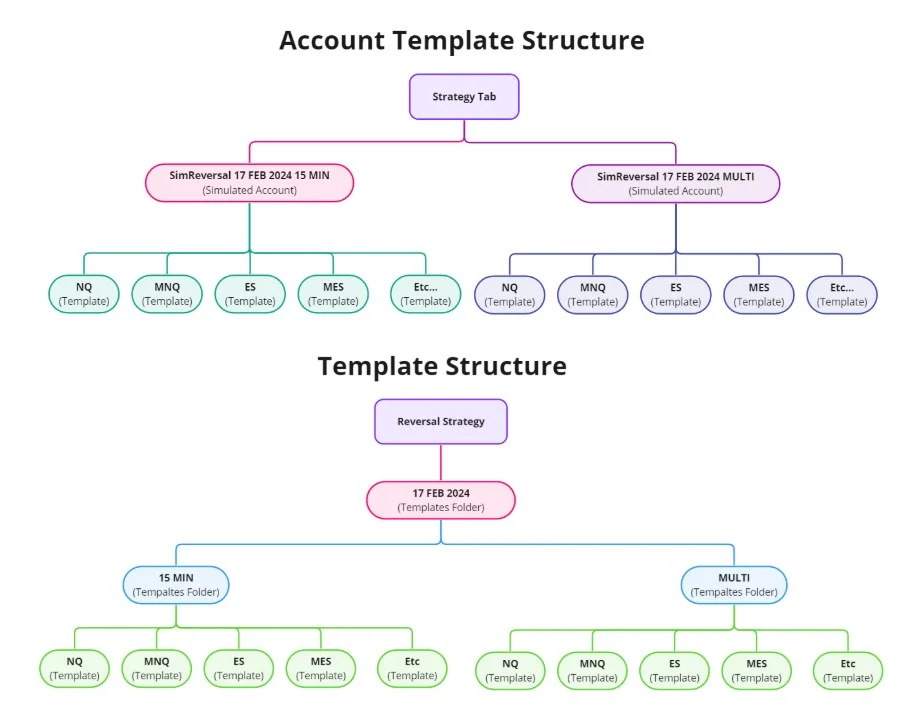
All three strategies use MAS template sets. Reversal Strategy is the one built around reversal areas and whether a setup is still fresh enough to use.
More focused on momentum-style movement, active management, reports, and update notes.
More focused on the opening-session workflow, staged testing, and one-trade-per-template review.
Best fit when you want a reversal-focused package with setup validation, stale setup control, and set updates.
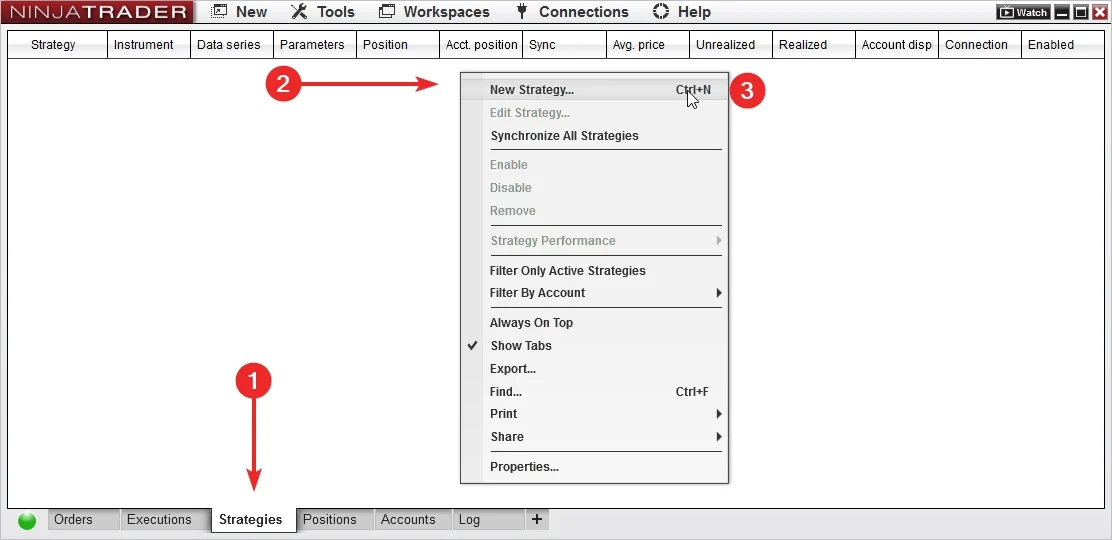
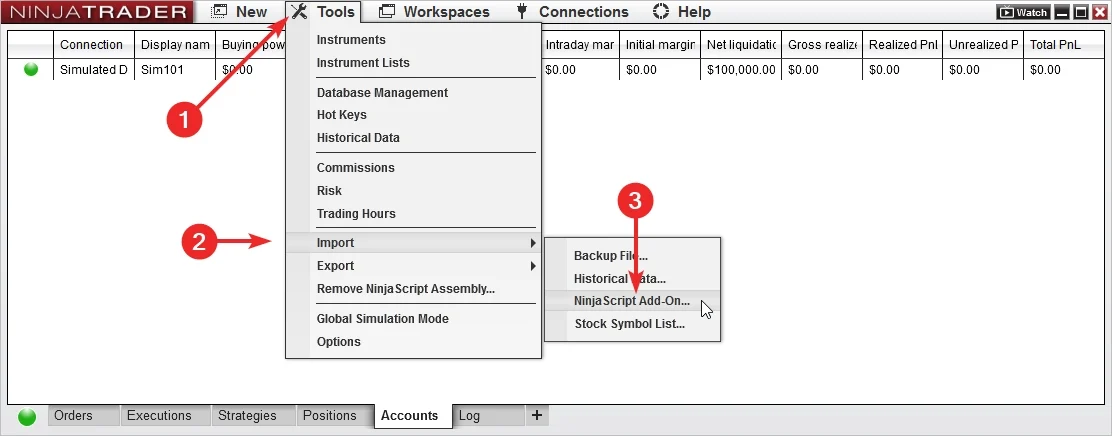
Start by importing the add-on and loading a MAS template set in NinjaTrader 8.
Add Reversal Strategy to NinjaTrader 8, confirm it appears in the platform, and keep the first session focused on installation.
Use MAS pre-made template sets as the starting point. Test sets on separate accounts before choosing what to run live.
Import the latest files, load a template set, test it, then review the output.
Use the same order each time so set testing stays clean and support questions are easier to answer.
Install the add-on and the latest MAS template set package.
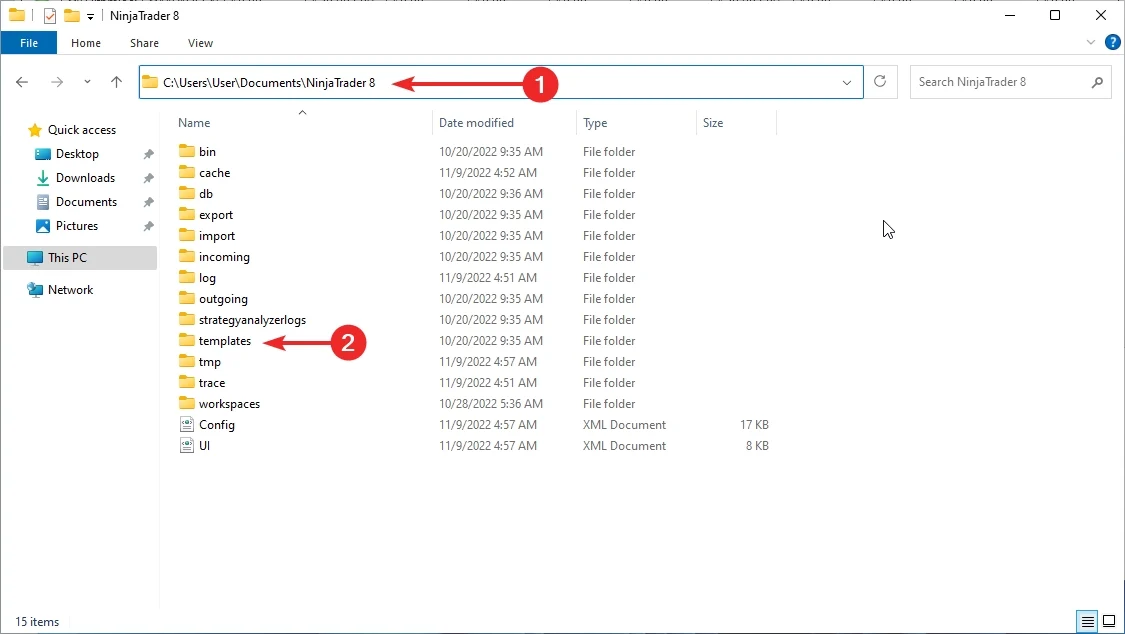
Select a MAS pre-made template set in NinjaTrader 8.
Run the set in a test account or test environment.
Check logs and behavior before changing sets.
Template sets keep the setup consistent while the strategy runs inside NinjaTrader 8.
Start from MAS maintained sets instead of building the setup yourself.
Run each set on its own test account so results and notes stay easy to compare.
The strategy runs inside NinjaTrader 8 after you load the add-on and template set.
Automation handles the execution sequence after the selected set is loaded.
Use recorded session behavior for review and support questions.
MAS refreshes the template sets every two weeks.
Pre-made template sets are included with access.
Template set updates are delivered bi-weekly.
Support and remote help are available on request.
Use a test account or test environment before live use. Test sets separately, then choose what belongs on the main account.
Load a set, let it run long enough to understand behavior, then review the log before changing anything.
Start with a maintained strategy package and included template sets.
Import the strategy, confirm it appears in the platform, and keep the first session focused on a clean install.
Load a pre-made template set from the package before you begin testing.
Use logs and order history to understand what happened before changing sets or extending access.
MAS refreshes template sets bi-weekly, so the routine is import, load, test, and review.
MAS updates template sets every two weeks. Keep notes on which set you tested and when.
Access includes the strategy add-on, template sets, updates, and support resources.
Start from MAS pre-made template sets instead of spending the first session rebuilding the setup.
Import, load a set, and begin testing inside NinjaTrader 8.
Track which set you tested instead of changing many variables at once.
The strategy takes over the repetitive trading sequence after the add-on and template set are loaded.
Use the same import, load, test, and review process for each set.
Recorded behavior makes installation and template-set questions easier to diagnose.
Access includes MAS pre-made template sets, bi-weekly updates, automated strategy support, and remote support on request.
Use the included sets as the starting point for organized testing.
MAS refreshes the template sets every two weeks during active access.
When installation or template-set loading needs a second look, remote support is available on request.
Start with the common plans. Open the full list for quarterly, six-month, or annual access.
Choose a license term, import the add-on, load a set, and test it before live use.
Use for a short test before choosing a longer term.
Strategy access, pre-made template sets, bi-weekly updates, support, and remote support on request.
Use when you want time to test and review template sets.
Strategy access, pre-made template sets, bi-weekly updates, support, and remote support on request.
Use when you want three months of access.
Strategy access, pre-made template sets, bi-weekly updates, support, and remote support on request.
Use when you want fewer renewal decisions.
Strategy access, pre-made template sets, bi-weekly updates, support, and remote support on request.
Use when you want a full year of access.
Strategy access, pre-made template sets, bi-weekly updates, support, and remote support on request.
Use when you want long-term access.
Strategy access, pre-made template sets, bi-weekly updates, support, and remote support on request.
Short answers about template sets, testing, support, and access.
Reversal Strategy is built for NinjaTrader 8.
Yes. It can place and manage trades inside NinjaTrader 8 after the add-on and template set are loaded.
Yes. Reversal Strategy includes MAS pre-made template sets for NinjaTrader 8.
No. Start with the included sets and test them in your own environment.
MAS updates Reversal Strategy template sets bi-weekly.
Yes. Load each set on a test account or test environment, review the log, then choose what belongs on the main account.
Yes. Test the set first, then keep the templates you want to run on the main account.
Yes. Reversal Strategy is a regular automated strategy and can take multiple trades during a day depending on the loaded set and market behavior.
Yes. The strategy can keep a trade log for session review and troubleshooting.
Yes. Remote support is available on request for installation and template-set loading questions.
No. Automated trading carries risk. No strategy, template, report, or example can promise future results.
Choose access, import the add-on, load the MAS template sets, and test the setup in NinjaTrader 8 before live use.
Articles
Product feedback
The customer support team is outstanding. I reached out with a question about optimizing the templates, and they provided me with a detailed guide and suggestions within hours This level of support is rare and much appreciated! 😉
Love how this strategy is built entirely around pricaction. It gives me confidence knowing it’s not relying on lagging indicators. That being said I’d appreciate an option to integrate some custom indicators for added flexibility.
I like how easy it was to set up. Even for someone new to auto-trading, this was straightforward. Not bad overall
honestly, I wasn’t expecting much, but this has exceeded my expectation
One thing I appreciate about this strategy is how transparent it is. The documentatioon is clear, and the settings are easy to adjust. As smeone who prefers a hands-on approach, tthis strikes the perfect balance between automation and control.
Templates for Tick Charts works the best, thanks
Runs smoothly
An excellent strategy that works well on a tick-based chart (NQmainly). It is also worth noting that the performance of the strategy improved dramatically after the trailing stop was added.
As someone who trades part-time, this strategy has been a great addition. I don’t use it in fully-automatic mode; instead, I prefer a semi-automatic approach. I manually intervene when I see the strategy heading in the wrong direction, and I take profits when I feel they’re sufficient. This hands-on method works best for me. Also, I’m using tick charts, which seem to improve the accuracy of the reversal signals. Highly recommend this approach if you like having more control over your trades!
I’ve seen some improvement in my trades using this system, but it’s not without its flaws. It’s user-friendly for beginners but lacks more advanced settings that experienced traders might want. For me, it’s been a neutral addition to my daily routine – neither saving nor losing much time or money. I will stay with my lifetime license of Reversal Indicator instead. Like it much more, as I can choose what signals to take.
Does what it promises in "reversals", but I wish it had more customization options for different trading styles. It worked fine for me in a stable market, but when things got choppy, I had to intervene. It’s a helpful tool, but not as hands-off as I had hoped.
The strategy consistently catches market reversals pnts, and I’ve managed to grow my account by 15% in just two months. While it sometimes misses on less volatile days, overall, I’ve been impressed with its performance. The detailed trade logs also help me understand where things went right or wrong.
Super simple to understand and use his strategy,support team is incredibly helpful
now I'm a tick chart user as well! Works much better than minute for this trader
Peter, thank you for mentioning TICK CHARTS! IT WORKED SO F* GOOD!
I don't know about others, but for me, tick charts work the best. This strategy has proven itself excellently on tick-based candlesticks, performing much better than charts based on minutes and delivering results that are several times better. It's truly transformed how I approach trading, providing both precision and profitability that I didn't experience with other bots. If you haven't tried tick-chart > try them asap, it WORKS!
Interesting auto trader. In my case not all templates that provide every two weeks work. Often I use the NQ 2 minute template - works great for me. I recommend to try it first of all.
So, I decided to give the Reversal Strategy a try during its trial period, and my experience was somewhat mixed.
On one hand I appreciated its approach and potential. There were moments where it seemed to perform exeptionally, especially in identifying potential market reversals. However, I encountered some challenges along the way that prevented me from fully embracing it. The strategy's effectiveness seemed to vary, and there were instances where it fell short of my expectations. Additionally, I found the setup process to be somewhat cumbersome, requiring more time and effort than I initially anticipated. While I see its potential, as my account after all this period is positive, I believe there's room for improvement in terms of consistency and user-friendliness. Overall, I would rate the Reversal Strategy as average – it has its strengths, but it also has areas that need refinement. I'll continue to monitor its performance, but for now, it's a three-star rating from me.
Used 2 mins templates as mentioned earlier. and it seems like wonder, it works very nicely and i use mostly CL and ES with it,
For traders who want automation around reversal-style trades, validation, stale setup control, and more.